

Archives

Web Presence – Online Marketing Tool

Online Marketing Tools Web Presence

Get found locally. Become the top choice.

Listings, reviews, social and monitoring, all working together so customers find you first.

Get Started
As low as
C$7.95/mo
Google logo

Rating: 4.9/5 | 6,036 reviews

Your local web host
for over 20 years

Built for visibility

Everything you need to manage how your business shows up online.

Be everywhere customers look

Your info synced to Google, Facebook, Instagram and key directories.

AI handles reviews and social

Replies and posts written in your voice, ready to approve.

Know exactly where you stand

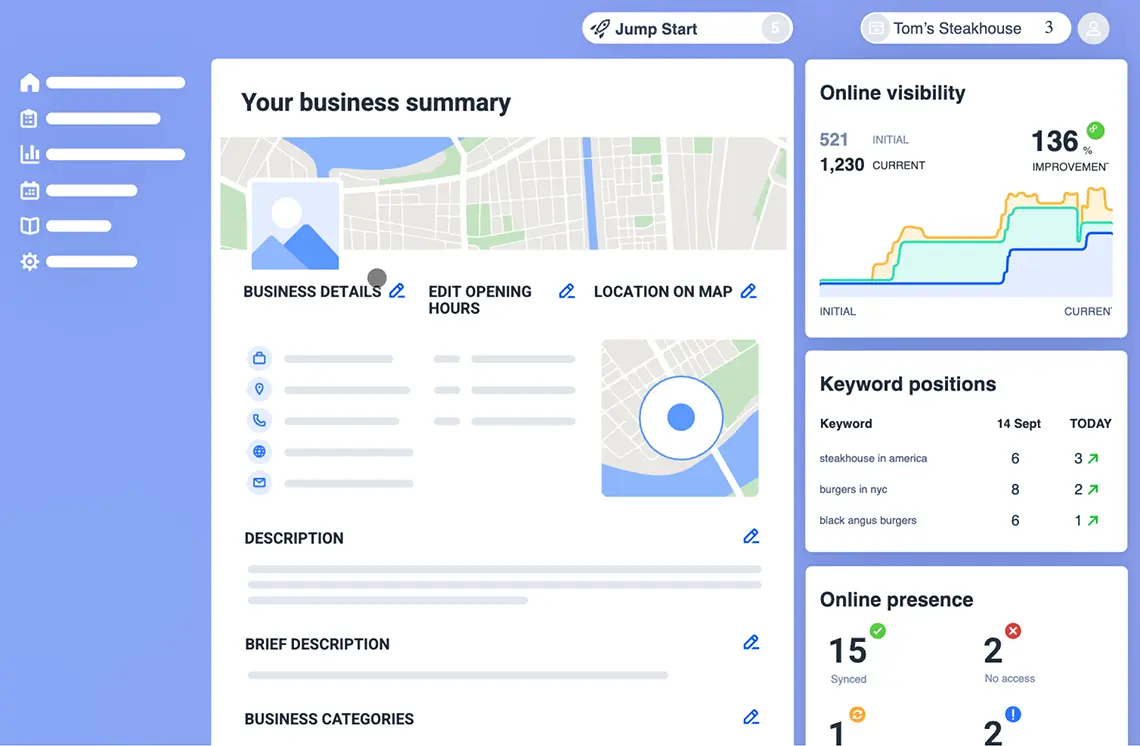
See how your business shows up across search, maps and directories.
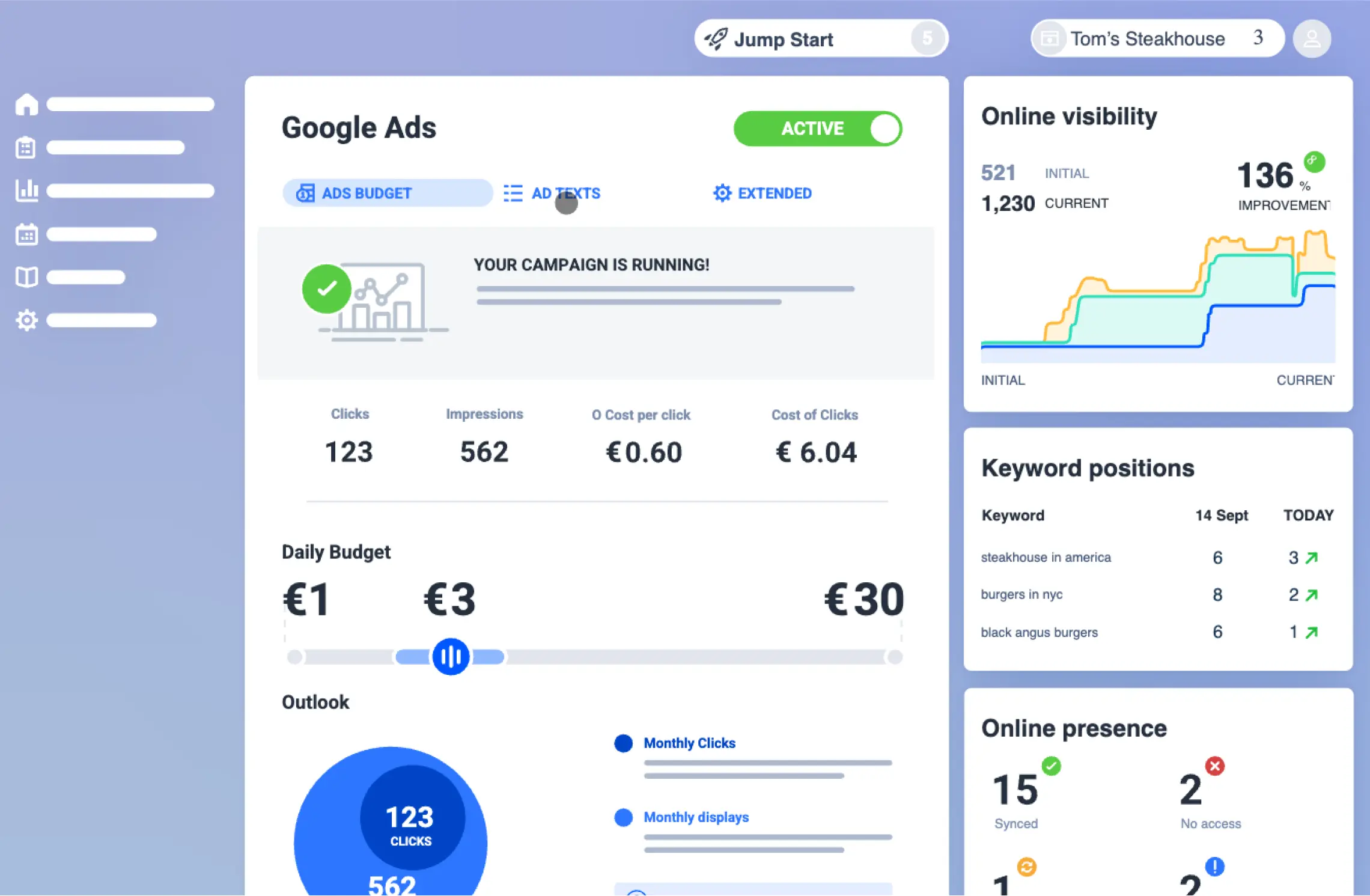
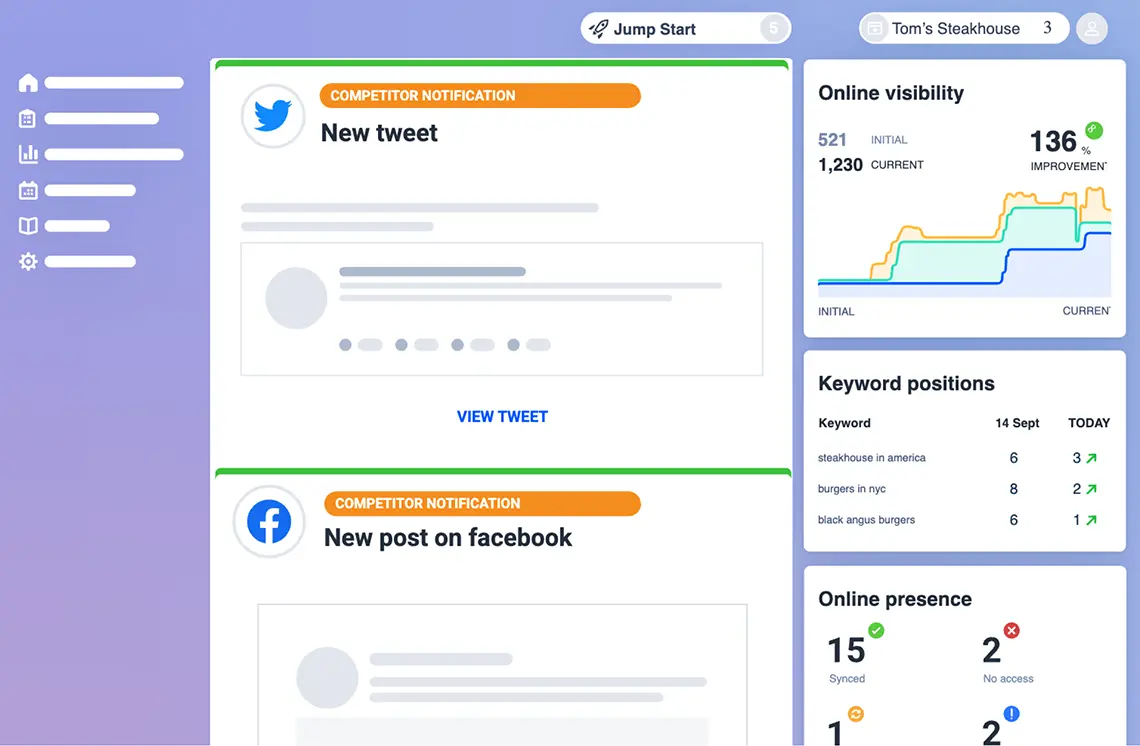
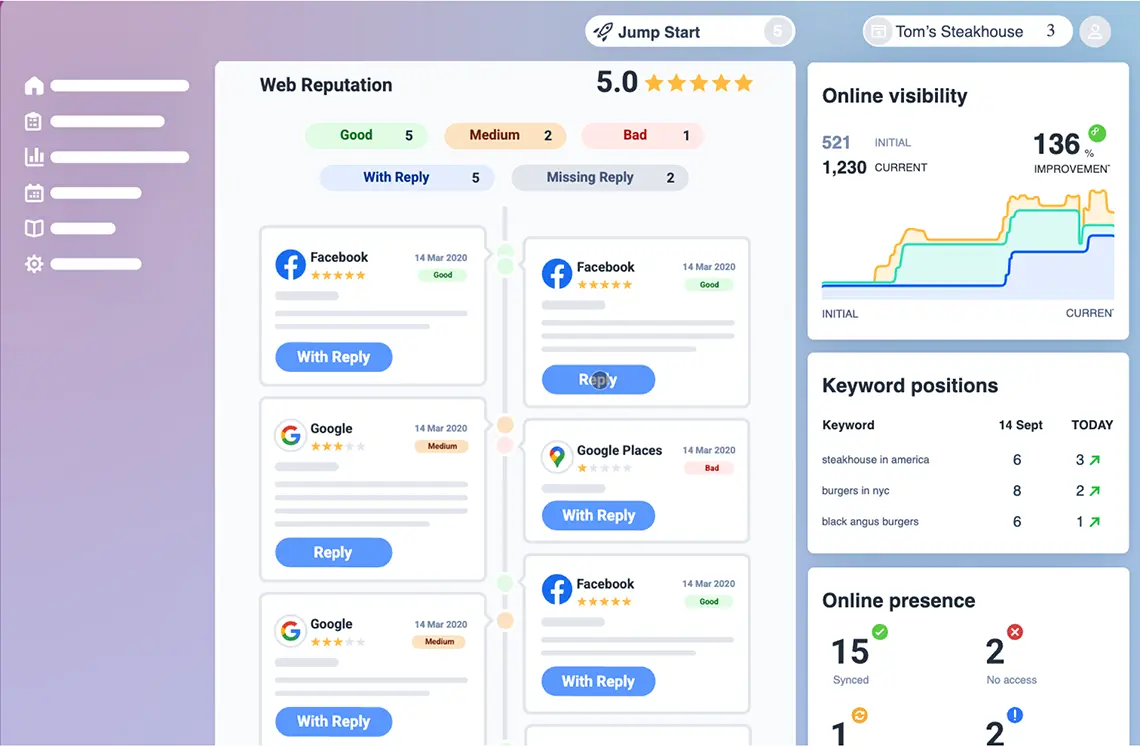
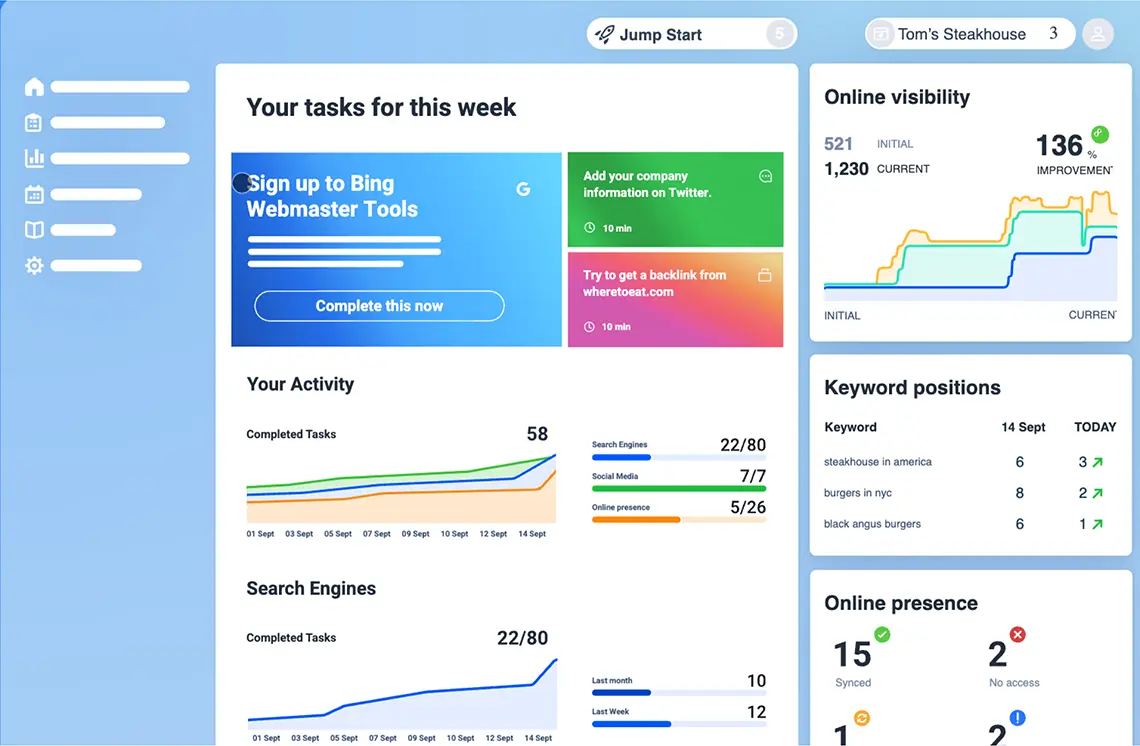
Web Presence Interface

How Web Presence can help you

Set it up once. It runs in the background.

Update once, synced everywhere

Google, Facebook, Instagram and key directories, updated from one screen.

AI replies to your reviews

Written in your voice for Google, Facebook and Instagram. Approve in one click.

AI posts to your social

Captions for Meta and Google, generated for your business. Edit, schedule, post.

Live brand monitoring

Real-time alerts on rankings, reviews, mentions and competitor ads.

See where you rank locally

A live map showing how findable you are next to competitors.

Google Business Profile, sorted

Connect an existing one or create one in a few clicks.

One plan.
Everything included.

No tiers. No upgrades to chase.

Your online essentials
Web Presence

One tool for everything customers see before they call.

As low as
C$7.95/mo
Add to cart
Inclusions
  • Unlimited listings sync across major platforms
  • AI review replies in your voice
  • AI-generated social posts for Meta and Google
  • Live brand monitoring with real-time alerts
  • Local visibility map
  • Bilingual 24/7 support (EN / FR)

Pair Web Presence with other tools
from our Online Marketing suite

Rank higher
Web SEO

Weekly AI-guided tasks that improve your Google rankings.

As low as
C$9.95/mo
Discover SEO
Build trust
Reviews

Collect more reviews, reply at scale, showcase the best.

As low as
C$10.95/mo
Discover Reviews
Stay visible
Social

AI-powered posts and scheduling across every platform.

As low as
C$10.95/mo
Discover Social

Frequently Asked Questions

Web Presence is the all-in-one starter tool for managing your business online. It handles four things:
  • Listings sync across Google, Facebook, Instagram and key directories
  • AI review replies in your voice
  • AI-generated social posts for Meta and Google
  • Live brand monitoring with real-time alerts
Most owners start here and add deeper tools as they grow.
Web Presence covers the basics across listings, reviews, social and monitoring in one tool. The standalone tools go deeper on a single area. Start here, then add a deeper tool when one area becomes a real driver.
Google Business, Facebook, Instagram, plus directories specific to your industry and region.
No. Setup takes one form (your business info, hours, photos). Everything after that runs in the background or shows you what to approve.
Most updates push within hours. A few directories take 1 to 2 days to verify.
No. Web Presence integrates with it directly. Connect an existing profile or create one from the dashboard.

From the WHC blog

Online visibility for Canadian small businesses: how to get found online

If customers can't find your business when they search, nothing else matters. Here's where to start.

Read more
The 6 biggest online marketing mistakes (and what to fix first)

Running a small business means wearing a lot of hats. Here's where to start with online marketing.

Read more
Get found. Get chosen.
Get started with Web Presence View all Online Marketing tools

CyberPanel VPS Hosting

CyberPanel VPS Hosting

A free alternative to cPanel on your VPS

Host unlimited websites, WordPress, email, DNS, and databases from one modern control panel — built on OpenLiteSpeed for speed, free of cPanel licensing fees, and running on Canadian infrastructure.

See plans
Starting at
C$18.50/mo
Google logo

Rating: 4.9/5 | 6,036 reviews

Your local web host
for over 20 years

Everything you need to run fast, multi-site hosting

OpenLiteSpeed-Powered

CyberPanel runs on OpenLiteSpeed with built-in HTTP/3 and LSCache. WordPress sites consistently score 90+ on PageSpeed Insights — without extra plugins, CDN config, or tuning.

Free SSL on every domain

Automatic Let's Encrypt SSL certificates for every domain you host. Auto-renewed before expiry — no manual renewals, no expired-certificate emergencies.

Domains & DNS

Unlimited domains & DNS. Host unlimited domains and manage their DNS records from your CyberPanel dashboard. PowerDNS built in for fast, reliable resolution.

WordPress ready

One-click WordPress installs with LSCache pre-configured. Staging sites, auto-login to wp-admin, scheduled backups, and database management — all from the panel.

Full email server built in

Postfix and Dovecot mail server with Rspamd spam filtering, DKIM, SPF, and DMARC. Create email accounts on any domain you host — no third-party email service needed.

Databases & backups

Manage MySQL and MariaDB databases via phpMyAdmin. Schedule automated backups to local storage, SFTP, S3, or Google Drive — and restore in clicks when you need to.
CyberPanel nterface

Built for fast WordPress and multi-site hosting

CyberPanel fits agencies, freelancers, and SMBs who want a real control panel without paying cPanel licensing fees on every server. Modern stack, clean interface, no per-account billing.

  • OpenLiteSpeed web server with HTTP/3 support out of the box
  • LSCache pre-configured for WordPress performance
  • Docker Manager for one-click deployment of n8n, Redis, MongoDB, and 20+ other apps
  • ModSecurity WAF, CSF Firewall, and fail2ban for production-grade security
  • Dedicated VPS resources for predictable performance under load

CyberPanel vs
traditional control panels

CyberPanel sits between paid alternatives like cPanel and the time-consuming option of managing your VPS from the command line. Free, fast, and modern — without the cPanel license bill that scales with every account you add.

CyberPanel cPanel Plesk
Control panel cost No cost / open-source-friendly Paid license Paid license
Ease of use Visual dashboard Visual dashboard Visual dashboard
Performance stack OpenLiteSpeed-focused Commonly Apache-based Apache + NGINX support
Best for Fast WordPress, agencies, multi-site VPS Users familiar with cPanel workflows Agencies, developers, Windows & WordPress hosting
cPanel
Control panel cost
Paid license
Ease of use
Visual dashboard
Performance stack
Commonly Apache-based
Best for
Users familiar with cPanel workflows
Plesk
Control panel cost
Paid license
Ease of use
Visual dashboard
Performance stack
Apache + NGINX support
Best for
Agencies, developers, Windows & WordPress hosting

Plans that scale with your agent

2G

C$18.50 /moismonth C$22.50 Save 18% Configure Now
  • 2 CPU Cores
  • 2GB Memory (RAM)
  • 25GB SSD Disk Space
  • 1Gbps Network
  • Unlimited Bandwidth
  • Powered by renewable energy
  • Full root access
  • CyberPanel pre-installed
Most Popular

4G

C$31.99 /moismonth C$38.99 Save 18% Configure Now
  • 4 CPU Cores
  • 4GB Memory (RAM)
  • 50GB SSD Disk Space
  • 1Gbps Network
  • Unlimited Bandwidth
  • Powered by renewable energy
  • Full root access
  • CyberPanel pre-installed

8G

C$56.99 /moismonth C$66.99 Save 15% Configure Now
  • 6 CPU Cores
  • 8GB Memory (RAM)
  • 100GB SSD Disk Space
  • 1Gbps Network
  • Unlimited Bandwidth
  • Powered by renewable energy
  • Full root access
  • CyberPanel pre-installed

16G

C$95.99 /moismonth C$108.99 Save 12% Configure Now
  • 8 CPU Cores
  • 16GB Memory (RAM)
  • 200GB SSD Disk Space
  • 1Gbps Network
  • Unlimited Bandwidth
  • Powered by renewable energy
  • Full root access
  • CyberPanel pre-installed

Launch CyberPanel in 3 easy steps

No manual installation process required. Choose the CyberPanel image during setup and your VPS will be provisioned with the panel ready to configure.

1

Choose your VPS plan

Edge, Power, or Ultra — pick the CPU, memory, and disk space that match your project. Switch any time, prorated.
2

Select CyberPanel

Choose CyberPanel from the available VPS images. We pre-install OpenLiteSpeed, LSCache, the mail server, PowerDNS, and ModSecurity — all configured and ready.
3

Start hosting

Add your domains, install WordPress with one click, and CyberPanel handles the rest — SSL, DNS, email, and backups, all from one dashboard.

Trusted by Canadian
businesses since 2003

WHC has been Canada's hosting provider for over 20 years.
Our OpenClaw VPS is new — but the infrastructure under it is battle-tested.

Reviewer's photo
Darren Neilson
Review from Facebook
If you're looking for reliable hosting with excellent support and performance that truly makes a difference, WHC is the perfect choice.
Reviewer's photo
Norman Robichaud
Review from Trustpilot
Top notch service!!! Seriously, I'm so proud they're Canadian!
Reviewer's photo
Craig Stephens
Review from Google
Great agent who solved my issue quickly - that's what sets WHC apart. It's 9:41 on a Sunday night and I can get great service!
Read more reviews

Frequently Asked Questions

Every question developers ask before migrating from n8n Cloud
— or setting up their first dedicated server.

CyberPanel is a free, open-source web hosting control panel built around the OpenLiteSpeed web server. You get a visual dashboard to manage websites, WordPress installations, domains, DNS, email accounts, SSL certificates, databases, and backups — without the per-server licensing fees of cPanel or Plesk. It's a popular choice for agencies, freelancers, and SMBs running multiple sites on a single VPS.
For most VPS hosting use cases, yes. CyberPanel offers the same core functionality — site management, email, DNS, databases, backups, security — with two real advantages over cPanel: it's free (no per-server or per-account license), and it's built on OpenLiteSpeed, which outperforms cPanel's Apache default for WordPress and dynamic sites. The trade-off is a smaller community and fewer third-party integrations than cPanel's mature ecosystem. For users comfortable troubleshooting occasionally, the cost savings and speed gains usually make CyberPanel the right call.
Yes. CyberPanel is open-source under the GPL license and free for unlimited domains and accounts. There's a paid "CyberPanel Cloud" add-on with extra features, but the core panel and OpenLiteSpeed web server are free forever. You only pay for the VPS infrastructure underneath — which is where WHC's plans come in.
Basic familiarity with web hosting concepts helps — domains, DNS, SSL, what a database is. But day-to-day tasks like installing WordPress, adding a domain, creating email accounts, or scheduling backups are all done through the visual dashboard. You don't need to use the command line for 95% of CyberPanel operations. We pre-install and pre-configure CyberPanel on your VPS, so you're not starting from a blank Linux box.
CyberPanel has no software limit on the number of websites or domains you can host. The real constraint is your VPS resources — CPU, RAM, and disk. Our Edge plan (4 GB RAM) comfortably hosts 1-5 WordPress sites. Power (8 GB RAM) handles 10-25 sites. Ultra (16 GB RAM, 8 CPU cores) supports 50+ sites or smaller numbers of high-traffic sites.
Very. OpenLiteSpeed with LSCache is one of the fastest WordPress hosting stacks available — sites consistently score 90+ on PageSpeed Insights without extra optimization plugins. CyberPanel also ships with a dedicated WordPress Manager: one-click installs, staging sites, auto-login to wp-admin, scheduled backups, and SSL provisioning. For agencies running multiple WordPress sites, this is significantly more polished than cPanel's WordPress workflow.
Yes. CyberPanel ships with a full email server stack — Postfix for sending, Dovecot for receiving, Rspamd for spam filtering, and DKIM/SPF/DMARC for deliverability. You can create email accounts on any domain you host on the VPS, with webmail access included. No need for a third-party email service like Google Workspace or Microsoft 365 unless you specifically want one.
Yes, though there's no fully automated cPanel-to-CyberPanel migration tool. The standard approach is: export your site files and databases from cPanel, set up the domains in CyberPanel, restore the files and databases, and update DNS. For WordPress sites, the All-in-One WP Migration plugin makes this nearly painless. For complex multi-site setups, our Canadian support team can guide you through the migration step-by-step.
CyberPanel comes with multiple layers of security built in: ModSecurity Web Application Firewall, CSF Firewall, fail2ban for brute-force protection, and automatic SSL via Let's Encrypt. WHC's underlying infrastructure is SOC 2 Type II certified, and your VPS runs in an isolated environment with dedicated resources. Like any open-source software, security depends on keeping updates current — and CyberPanel makes updates a one-click operation from the dashboard.
Your CyberPanel VPS lives in your chosen Canadian datacenter (Montreal, Toronto, or Vancouver). All your sites, databases, emails, backups, and configuration stay on Canadian-owned infrastructure governed by Canadian law — relevant for PIPEDA and Quebec's Law 25 compliance, and unaffected by the US CLOUD Act that affects American hosting providers, even those with a "Canadian region."
Yes. CyberPanel includes a Docker Manager that lets you deploy n8n, Redis, MongoDB, and 20+ other applications with one click. You can also run any Docker container manually via SSH. This is one of the biggest differentiators vs older control panels — modern apps deploy in minutes instead of requiring full sysadmin work.
WHC provides bilingual (English and French) support for the VPS infrastructure itself: server uptime, networking, backups, hardware. For CyberPanel-specific questions, our team can help with common workflows (site setup, WordPress installs, SSL, migrations), and CyberPanel itself has an active community and official documentation. CyberPanel is community-supported software at its core, so for deep customization questions you may end up in their forums — but most things you'd actually do day-to-day are well-covered.
Ready to launch your CyberPanel VPS? See plans

Managed OpenClaw vps

Managed OpenClaw VPS

Self-hosted AI agents
on Canadian VPS

Your own personal AI agent, pre-installed on a powerful VPS. Bring your own API keys, run it through a messaging app like Telegram, Slack, or WhatsApp, and keep your agent's memory and configuration on Canadian infrastructure.

  • 30-day money-back guarantee
  • Servers in Canada
  • SOC 2 Type II certified
OpenClaw Interface
Google logo

Rating: 4.9/5 | 6,036 reviews

Your local web host
for over 20 years

What you get with OpenClaw on VPS

A self-hosted AI agent that's ready when you are. We've done the setup work, so your first conversation can happen in minutes — not days.

One click. That's it.

  • Pre-installed and pre-configured

    OpenClaw runs the moment your VPS is online. No SSH, no installers, no database setup. Pick a plan, a region, and your agent is ready.
  • One-click sign-in

    No separate password to manage. Click "Open OpenClaw" from your WHC dashboard and you land inside, signed in.
  • Full root access

    It's your VPS. Customize the runtime, install your own skills, swap in a local LLM — you control everything.
  • Daily backups, 14-day retention

    Snapshot before every experiment. Restore in 30 seconds if something breaks.
Deploying a new agent with OpenClaw
OpenClaw performance chart

Why run OpenClaw on a VPS instead of managed

Most "managed OpenClaw" plans give you a stripped-down version of the platform — limited skills, locked-down configuration, no terminal access. WHC's self-hosted approach gives you the full platform on dedicated resources, with full root access, so your agent can do everything OpenClaw is capable of.

  • Dedicated vCPU · no noisy neighbors
  • NVMe Gen4 storage · 7,000 MB/s read
  • Up to 16 GB RAM with persistent state
  • 40 ms median latency from anywhere in Canada

Know exactly what your agent is doing

When an agent has access to your inbox, calendar, and files, "trust but verify" matters. Every action your agent takes is logged, replayable, and exportable.

  • Real-time log streaming
  • Task replay · scrub through any agent run
  • Alerts to Slack, Discord, email, webhooks
  • 30-day audit trail included
OpenClaw live agent

Plans that scale with your agent

2G

C$18,50 /moismonth C$22,50 Save 18% Configure Now
  • 2 CPU Cores
  • 2GB Memory (RAM)
  • 25GB SSD Disk Space
  • 1Gbps Network
  • Unlimited Bandwidth
  • Powered by renewable energy
  • Full root access
  • OpenClaw pre-installed
  • Easy SSO sign in
Most Popular

4G

C$31,99 /moismonth C$38,99 Save 18% Configure Now
  • 4 CPU Cores
  • 4GB Memory (RAM)
  • 50GB SSD Disk Space
  • 1Gbps Network
  • Unlimited Bandwidth
  • Powered by renewable energy
  • Full root access
  • OpenClaw pre-installed
  • Easy SSO sign in

8G

C$56,99 /moismonth C$66,99 Save 15% Configure Now
  • 6 CPU Cores
  • 8GB Memory (RAM)
  • 100GB SSD Disk Space
  • 1Gbps Network
  • Unlimited Bandwidth
  • Powered by renewable energy
  • Full root access
  • OpenClaw pre-installed
  • Easy SSO sign in

16G

C$95,99 /moismonth C$108,99 Save 12% Configure Now
  • 8 CPU Cores
  • 16GB Memory (RAM)
  • 200GB SSD Disk Space
  • 1Gbps Network
  • Unlimited Bandwidth
  • Powered by renewable energy
  • Full root access
  • OpenClaw pre-installed
  • Easy SSO sign in
AI model usage (OpenAI, Anthropic, etc.) is billed separately by your chosen provider.
WHC doesn't mark up or resell API access.

Deploy OpenClaw in 3 easy steps

Get OpenClaw up and running quickly with a streamlined setup. From deployment to live operation, everything is kept simple—so you can focus on building and managing bots.

1

Pick a VPS plan

Choose between Edge, Power, or Ultra — switch any time, prorated.
2

Connect your AI

Add an API key from Anthropic, OpenAI, Gemini, etc. Or run a local model via Ollama for zero external dependencies.
3

Launch your agent

Connect OpenClaw to a messaging app (like Telegram, Slack, WhatsApp...), and start the conversation.

What you can build
with OpenClaw

OpenClaw isn't just a chatbot — it takes action on your connected tools. Here are some of the ways our customers and the OpenClaw community are using it.

Inbox triage

Sort overnight email by urgency, draft responses to recurring questions, and flag what actually needs your attention before you open your laptop.

Personal CRM

Log every customer call automatically. Schedule follow-ups, draft outreach, and never lose track of a warm lead in your inbox.

Code review assistant

Connect to your repo. Get a first-pass review on every PR — code style, test coverage, missing edge cases — before a human looks at it.

Research agent

Hand it a question. It crawls sources, summarizes findings, and cites every claim. Saves half-day deep-dives.

Expense logger

Forward receipts from your inbox or photograph them on your phone. The agent extracts the amount, vendor, and category, and logs each one to your spreadsheet or accounting tool.

Scheduler

Check calendars across your team, propose meeting times that work for everyone, and send invites — all from a chat message.

Sales assistant

Qualifies inbound leads, drafts outreach, and books meetings on your calendar based on rules you define.

Support agent

Handles 60% of incoming questions in Discord, Slack, or your support channel before a human needs to step in.

Trusted by Canadian
businesses since 2003

WHC has been Canada's hosting provider for over 20 years.
Our OpenClaw VPS is new — but the infrastructure under it is battle-tested.

Reviewer's photo
Darren Neilson
Review from Facebook
If you're looking for reliable hosting with excellent support and performance that truly makes a difference, WHC is the perfect choice.
Reviewer's photo
Norman Robichaud
Review from Trustpilot
Top notch service!!! Seriously, I'm so proud they're Canadian!
Reviewer's photo
Craig Stephens
Review from Google
Great agent who solved my issue quickly - that's what sets WHC apart. It's 9:41 on a Sunday night and I can get great service!
Read more reviews

Frequently Asked Questions

OpenClaw is an open-source AI agent platform that runs on your own server. It connects the messaging apps you already use — Telegram, Slack, WhatsApp, Discord — to an AI agent powered by the language model of your choice. You send a message to your bot, the agent processes your request (sometimes performing actions on your connected tools), and replies. Think of it as the bridge between chat apps and AI agents that can actually get things done.
Managed OpenClaw plans (like Hostinger's) handle AI model selection for you and include credits in your subscription. Self-hosted OpenClaw on a WHC VPS gives you full root access, lets you bring your own AI provider, and runs on infrastructure you control. Self-hosting is for builders who want total control. The managed version is for users who don't want to make any decisions.
Any provider supported by OpenClaw — Anthropic Claude, OpenAI GPT, Google Gemini, Groq, OpenRouter, and several others. You can also run a local model via Ollama for zero external dependencies. You provide the API key; WHC doesn't mark up or resell model access.
Your agent's memory, conversation history, skills, and configuration are stored on your WHC VPS in the Canadian data center of your choice (Montreal, Toronto, or Vancouver). They never leave Canadian infrastructure. The only exception is the call to the AI model itself — when your agent sends a request to OpenAI or Anthropic, that request transits through the provider's servers (typically located in the United States). If sovereignty over inference matters for your use case, you can run a local model via Ollama and keep everything in Canada.
Less than you'd think. Your VPS ships with OpenClaw pre-installed and pre-configured. You sign in via your WHC Client Area with one click — no SSH, no installers, no database setup. The only technical steps are creating an API key with the AI provider of your choice (a 2-minute task with copy-paste instructions) and connecting your first messaging app. We have a step-by-step guide that takes about 15 minutes from start to finish.
Yes. OpenClaw supports multiple agents per instance, each with its own personality, skills, and connected tools. You could run one agent for personal productivity, another for your business, and a third for a specific project — all on the same VPS. Plan size determines how many agents you can run comfortably in parallel (Edge for 1, Power for 2 to 4, Ultra for 5 and up).
OpenClaw on a WHC VPS runs in an isolated LXD container, with dedicated CPU and memory. Your data doesn't share infrastructure with other tenants. You control the firewall, the list of users allowed to message the bot, and the API keys for connected services. WHC's underlying infrastructure is SOC 2 Type II certified. That said, OpenClaw is community-supported software — it doesn't come with enterprise SLAs. For business-critical use, we recommend strict allowlists, regular backups (included), and reviewing every skill you install.
Telegram, Slack, WhatsApp, Discord, Microsoft Teams, Signal, iMessage, Matrix, Google Chat, and several others. You can connect more than one — many users run their agent on Telegram on their phone and on Slack for work.
Yes — that's the whole point of WHC's OpenClaw VPS. You choose your data center (Montreal, Toronto, or Vancouver) at signup. Your agent's memory, configuration, and persistent state all live on Canadian-owned infrastructure governed by Canadian law.
Shared hosting can't run OpenClaw at all — it requires root access, dedicated resources, and a long-running process. A cheap unmanaged VPS can run OpenClaw, but you'd be installing and maintaining everything yourself. WHC's OpenClaw VPS is the pre-installed, single-sign-on-ready version, with dedicated resources and Canadian sovereignty built in.
You bring your own. You sign up with the AI provider of your choice (Anthropic, OpenAI, etc.), create an API key, and paste it into your OpenClaw dashboard. WHC doesn't resell or mark up AI model access — you pay the provider directly at published rates, with no middleman. It's one of the main reasons customers move to self-hosting: you control costs and you control the relationship.
Yes. OpenClaw's configuration, skills, and memory are stored on the VPS file system — you can back them up, export them, and move them to another server if you ever need to. No platform lock-in. Daily backups are included with all plans.
Watch your agent come alive Deploy OpenClaw now

Self-Hosted n8n

Self-hosted n8n

Self-hosted n8n on Canadian VPS

Unlimited workflows, no per-task billing

n8n is the open-source workflow automation platform that runs your tasks and AI agents 24/7. Host it on a WHC VPS for unlimited workflows, no execution limits, and customer data that stays on Canadian infrastructure.

See plans
Starting at
C$18.50/mo
  • 30-day money-back guarantee
  • Servers in Canada
  • SOC 2 Type II certified
n8n automation example
Google logo

Rating: 4.9/5 | 6,036 reviews

Your local web host
for over 20 years

The open-source automation platform agencies and ops teams trust

Connect 400+ apps, AI models, and APIs with a visual builder. Drop into JavaScript when you need more. No per-task billing. No execution caps. No vendor able to deprecate the integration you depend on.

Visual workflow builder

Drag, drop, and connect nodes for triggers, webhooks, schedules, branching, and error handling. 90% of workflows need zero code

Code when you need it

Drop into JavaScript or Python inside any node. Custom HTTP requests, expressions, and external libraries. n8n gets out of your way when you need it to.

AI agents built in

Native nodes for OpenAI, Anthropic Claude, Gemini, vector databases, and LangChain. Build RAG pipelines, support bots, and research agents in a weekend — running on your own infrastructure.
n8n interface

The moment your workflows pay off, you outgrow n8n Cloud

Most teams hit n8n Cloud's execution cap within weeks. A VPS gives you the performance flexibility, and control you need when automations become business-critical.

Unlimited executions

No per-workflow or per-execution pricing. Run 10 or 10 million — your monthly bill doesn't budge.

Dedicated performance

Your own CPU, RAM, and NVMe SSD. Run queue mode with multi-worker scaling when your workflows demand it.

Your data, your server

Meet PIPEDA, Law 25, SOC 2, and internal equirements with customer data that stays on Canadian-owned infrastructure.

Full control & extensibility

Root access, Docker, reverse proxy, custom environment variables, 200+ community nodes, custom domains. Make n8n yours.

Past 20,000 executions/mo?
You're losing money on n8n Cloud

A typical SMB workload — a Slack bot, a Stripe-to-Sheets sync, two scheduled CRM jobs, and a nightly data pipeline — burns through n8n Cloud's included executions in under a month. On a WHC VPS, the cost stays flat regardless of how much your workflows do.

Prices shown for comparable production workloads with ~50K executions/mo. n8n Cloud Pro and Business prices from n8n.io, April 2026. In CAD.

WHC VPS Power
$85/mo
n8n Cloud Pro
$145/mo
n8n Cloud Business
$380+/mo

Pick your n8n VPS plan

Every plan includes one-click n8n install, full root access and servers in Canada.
Upgrade resources any time with zero downtime and no data migration.

2G

C$18.50 /moismonth C$22.50 Save 18% Configure Now
  • 2 CPU Cores
  • 2 GB Memory
  • 25 GB SSD Disk Space
  • 1Gbps Network
  • Unlimited Bandwidth¹
  • Powered by renewable energy
  • Self-Managed w/root
  • n8n pre-installed
Most Popular

4G

C$31.99 /moismonth C$38.99 Save 18% Configure Now
  • 4 CPU Cores
  • 4 GB Memory
  • 50 GB SSD Disk Space
  • 1Gbps Network
  • Unlimited Bandwidth¹
  • Powered by renewable energy
  • Self-Managed
  • n8n pre-installed

8G

C$56.99 /moismonth C$66.99 Save 15% Configure Now
  • 6 CPU Cores
  • 8 GB Memory
  • 100 GB SSD Disk Space
  • 1Gbps Network
  • Unlimited Bandwidth¹
  • Powered by renewable energy
  • Self-Managed
  • n8n pre-installed

16G

C$95.99 /moismonth C$108.99 Save 12% Configure Now
  • 8 CPU Cores
  • 16 GB Memory
  • 200 GB SSD Disk Space
  • 1Gbps Network
  • Unlimited Bandwidth¹
  • Powered by renewable energy
  • Self-Managed
  • n8n pre-installed

Trusted by Canadian
businesses since 2003

WHC has been Canada's hosting provider for over 20 years. Our n8n VPS is new — but the infrastructure under it has run automations, websites, and applications for Canadian businesses since 2003.

Reviewer's photo
Darren Neilson
Review from Facebook
If you’re looking for reliable hosting with excellent support and performance that truly makes a difference, WHC is the perfect choice.
Reviewer's photo
Norman Robichaud
Review from Trustpilot
Top notch service!!! Seriously, I'm so proud they're Canadian!
Reviewer's photo
Craig Stephens
Review from Google
Great agent who solved my issue quickly - that's what sets WHC apart. It's 9:41 on a Sunday night and I can get great service!
Read more reviews

Frequently Asked Questions

Everything developers ask before switching from n8n Cloud — or spinning up their first VPS.

n8n (pronounced "n-eight-n") is an open-source workflow automation platform. You connect apps, APIs, AI models, and your own data with a visual builder — Slack, Gmail, Stripe, HubSpot, OpenAI, Anthropic, your database, anything with an API. Then n8n runs your workflows automatically when triggers fire: a webhook arrives, a schedule hits, a row changes in your database. Think Zapier or Make, but open-source, self-hostable, and not metered.
n8n Cloud is the hosted version run by the n8n team. It's metered: you pay per execution, with plans starting at 2,500 executions/month. Self-hosted n8n is the same product running on a server you control — but with unlimited executions, no per-task billing, and full control over your data. The trade-off is that you (or your hosting provider) handle setup and maintenance. On a WHC VPS, n8n comes pre-installed and pre-configured.
Zapier is the most polished but charges per task — costs scale fast with multi-step workflows. Make is a middle ground with better visual logic at a lower price. n8n is the open-source option: unlimited executions when self-hosted, full code access, deeper customization, and significantly cheaper at any meaningful scale. The trade-off is a steeper learning curve (more technical) and slightly fewer pre-built integrations than Zapier's 8,000+. n8n has 400+ native integrations and connects to anything else via HTTP.
Yes. n8n's self-hosted version (Community Edition) has no software-imposed limits on workflows, steps, or executions. The only constraint is your VPS resources — RAM, CPU, and disk. A WHC VPS Power plan (4 GB RAM, dedicated CPU cores) comfortably handles tens of thousands of executions per month for most SMB workloads. Heavy users on Ultra can run hundreds of thousands.
Less than you'd expect. n8n comes pre-installed on your WHC VPS — no SSH, no Docker setup, no SSL certificate gymnastics. You sign into your n8n instance from your WHC Client Area and start building workflows. The places technical skills help: writing custom JavaScript in code nodes, debugging webhook signatures, and the occasional npm package install for community nodes. For everything else, the visual builder gets you 90% of the way.
Your n8n instance, your workflow definitions, your stored credentials, and your execution history all live on your WHC VPS in your chosen Canadian datacenter (Montreal, Toronto, or Vancouver). The only data that leaves Canadian infrastructure is what your workflows explicitly send to external services (a Slack message, a Stripe API call, an OpenAI prompt) — and that's true of any automation platform.
Yes — arguably more so than the cloud version, because your credentials and customer data don't sit in a multi-tenant database with millions of other workflows. WHC's underlying infrastructure is SOC 2 Type II certified. Your n8n instance runs in an isolated environment on dedicated resources, with daily backups, automatic SSL, and full firewall control. For businesses in regulated industries (finance, healthcare, government-adjacent), self-hosting is often the only acceptable answer.
Not automatically — Zapier and Make workflows don't export in n8n format. But the concepts translate cleanly: triggers, actions, and conditional logic all map directly. Most teams rebuild their highest-value Zaps first (the ones eating their task budget), then move others over as time permits. For agencies, this is a one-time investment that pays off in months through eliminated SaaS bills.
Yes. n8n has 70+ native AI nodes, including direct integrations with OpenAI, Anthropic Claude, Google Gemini, and most major LLM providers — plus a built-in AI Agent node with LangChain support for multi-step agent logic. You can also run a local model via Ollama for fully sovereign AI workflows, where neither your data nor your prompts ever leave Canadian infrastructure.
For testing and personal automations, our Edge plan (4 GB RAM) is plenty. For day-to-day production workloads — Slack bots, CRM syncs, scheduled jobs — Power (8 GB RAM, dedicated CPU) is the sweet spot and what most customers pick. For agencies running automations for multiple clients, high-volume pipelines, or queue mode with workers, Ultra (16 GB RAM, 8 CPU cores) gives you the headroom. You can upgrade any time with zero downtime.
Yes. WHC is a Canadian-owned company with datacenters in Montreal, Toronto, and Vancouver. Hosting your n8n instance on a WHC VPS keeps your workflow data, credentials, and execution history on Canadian infrastructure governed by Canadian law — not subject to the US CLOUD Act that affects American hosting providers, even those with a "Canadian region." For Quebec businesses subject to Law 25 or any SMB handling PIPEDA-regulated data, this simplifies your privacy compliance story significantly.
The VPS infrastructure (host OS, firewall, backups) is managed by WHC. Daily server-level backups with 14-day retention are included on every plan. The n8n application itself follows the open-source release cycle — you choose when to update to a new n8n version, which means you're never forced into a breaking change. We provide guides and bilingual support to help if you need it.
Ready to run n8n on Canadian infra? See plans

Radar – Online Marketing Tool

Online Marketing Tools Radar

Stay on top, ahead of the competition

Reviews, rankings, competitors and mentions, always monitored and up to date.

Get Started
As low as
C$2.65/mo
Google logo

Rating: 4.9/5 | 6,036 reviews

Your local web host
for over 20 years

Built for results

Everything you need to stay in the loop and a step ahead, in one simple dashboard.

More 5-star
reviews

We spot every new review, so you can engage while it counts.

Stay ahead of competitors

We track your competitors so you stay ahead in search and ads.

Save hours
every week

Reviews, rankings and mentions in one place, with a Monday recap.
Radar Interface

How Radar can help you

No dashboards to learn. No specialists to hire.

Live alerts

Be the first to know within minutes of any change.

Competitor feed

See how they're performing in search and ads.

All in one place

One dashboard instead of five tabs every morning.

Filter the noise

You choose what deserves an alert. The rest goes into summaries.

Monday recap

A short email every Monday with everything that changed.

One plan.
Everything included.

No tiers. No upgrades to chase.

Your monitoring tool
Radar

Everything you need to stay on top of your online.

As low as
C$2.65/mo
Add to cart
Inclusions
  • Unlimited review monitoring on major platforms
  • Instant email alerts for new reviews and mentions
  • Keyword ranking tracking
  • Side-by-side competitor monitoring
  • Weekly summary email of everything that changed
  • Bilingual 24/7 support (EN / FR)

Pair Radar with other tools
from our Online Marketing suite

Get found locally
Web Presence

Your listings, reviews and social, managed from one dashboard.

As low as
C$7.95/mo
Discover Web Presence
Rank higher
SEO

Weekly AI-guided tasks that move your Google rankings.

As low as
C$9.95/mo
Discover SEO
Reach more people
Google Ads

Targeted ads you set up, control and adjust on your terms.

As low as
C$9.95/mo
Discover Google Ads

Frequently Asked Questions

Radar tracks every change that shows how your business is performing online:
  • New reviews on Google, Facebook and other platforms
  • Search ranking changes for your business and your competitors
  • Brand mentions across the web
  • Competitor ads, including ads on your keywords
Radar keeps you informed. Web Presence helps you act. Radar focuses on monitoring. Web Presence includes those features plus listings sync, AI review replies and AI social posts. Pick Radar if monitoring is all you need.
No. You decide what's worth a real-time alert. Everything else flows into a daily or weekly summary so your inbox stays clean.
Yes. Add them at setup and you'll see their rankings, ads and reviews side by side with yours. Many owners find this the most useful part.
You need a domain (we ask at checkout). A finished site isn't required.
You set up in under 10 minutes: add your business, pick your competitors, choose your alerts. Your first weekly summary lands the following Monday.

From the WHC blog

How to monitor competitors (without spending hours a week!)

Stay aware of what your competitors are doing, without making it a second job.

Read more
The 6 biggest online marketing mistakes (and what to fix first)

Running a small business means wearing a lot of hats. Here's where to start with online marketing.

Read more
Stay informed. Stay ahead.
Get started with Radar View all Online Marketing tools