

9 Big Reasons to Get WordPress 6.9
WordPress 6.9 has officially landed as of December 2, 2025, featuring meaningful updates for anyone building or managing a site. The focus this time: smarter editing, better collaboration, and a faster dashboard.
Whether you’re a solo creator or running a busy business site, this update brings tools that cut down on your daily hassles.
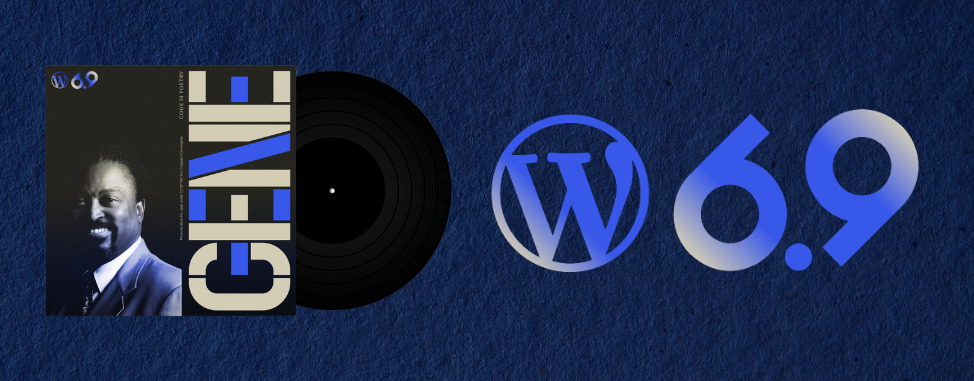
This new edition of WordPress is nicknamed Gene, in honour of the American Jazz pianist Gene Harris.
Let’s look at what’s new, and what it means for you!
1. A more focused editing experience
WordPress has been evolving fast, and 6.9 continues the shift toward a cleaner, more intuitive editor. You’ll notice improvements that make writing and designing feel less busy, including better contextual controls and smoother flows inside the Site Editor.
This means you’ll spend less time hunting through menus and more time actually publishing. For content teams, it also makes onboarding quicker for new contributors.
2. Visual drag-and-drop, now actually visual
If you’ve ever rearranged blocks and felt like you were playing UI Jenga, WordPress 6.9 is definitely for you.
The editor now supports a more direct visual drag-and-drop function with clearer drop zones and smoother movement inside layouts.
It’s easier to grab a block, slide it where you want, and see how the page will flow before you hit publish.

Building pages now feels closer to the drag-and-drop experience people expect today: faster for pros, friendlier for beginners, and less fiddly for everyone.
3. A smarter text container that just fits
Another subtle but excellent upgrade in 6.9 is how text behaves inside certain blocks and patterns. Text containers now adapt more naturally to your design, so headings and copy “fit” better without constant manual nudging.

Now you can spend less time tweaking spacing and font sizes to make layouts behave, especially in columns, patterns, and responsive sections. Your pages look cleaner across desktop and mobile with way less effort.
4. Notes: built-in collaboration
One of the headline features in 6.9 is a new Notes capability. You can leave contextual comments, tied to specific blocks or sections, directly in the editor so collaborators know exactly what you mean.
Some examples:
- “Rewrite this paragraph to match the brand tone.”
- “Swap this image before launch.”
- “This CTA needs legal approval.”

Thanks to Notes, you can expect fewer Slack threads and email chains. Feedback stays connected to the content itself, making review cycles faster and less error-prone.
5. Hide blocks without deleting them (finally!)
WordPress 6.9 introduces block visibility controls, letting you hide a block on the front end while keeping it in the editor.
This is huge for staging content. You can:
- draft sections early without showing them yet,
- test alternate layouts,
- temporarily remove promos without losing your setup.
It’s a small change with a big workflow payoff.
6. New core blocks for richer pages
WordPress 6.9 ships with several useful block patterns, including:
- Accordion block – great for FAQs, product details, and tidy long pages.
- Math block – easily format equations, formulas, or technical content.
- Time-to-Read block – shows reading length for blog posts and guides.


This means more design flexibility without needing another plugin.
7. Faster navigation with the Command Palette
Now you can use the Command Palette across your entire site and dashboard, making navigation commands universally accessible.
Power users and admins can skip tedious menu clicking and streamline their workflows.
To open the search/command bar, just press Ctrl/Cmd + K on any admin screen (Posts, Pages, etc).
8. Performance boosts under the hood
WordPress 6.9 continues performance work from previous releases, including faster editor loading, better responsiveness, and backend optimizations.
A quicker dashboard makes managing your website feel lighter, especially on content-heavy or multi-author sites.
9. Developer highlights
For plugin and theme developers, the 6.9 Field Guide outlines many improvements and small breaking changes across the editor, block APIs, and performance tooling. If you maintain custom code, it’s worth reviewing before pushing updates to production.
WHC tip: test on staging first. If you’re on WHC WordPress hosting, you can spin up a staging copy in minutes.
Before you update: a safe upgrade checklist
Even smooth WordPress releases can surface plugin/theme edge cases. Here’s the low-stress way to update:
- Back up your site (files + database).
- Update plugins/themes first, so you’re on their latest compatible versions.
- Test on staging if your site is mission-critical.
- Update to WordPress 6.9.
- Do a quick check of key pages, checkout flows, forms, and navigation.
If you’re not sure whether your setup is ready, WHC support is here to help.
Final words
This release is all about productive publishing: clearer editing, fewer workflow gaps, and better performance. Pair that with WHC’s Canada-based infrastructure and WordPress-tuned hosting, and you’ve got a platform that’s ready for the next stage of your site.
If you want help updating safely, or you’re thinking about moving to faster WordPress hosting, reach out to our team. We’ll get your site running smoothly on 6.9.
 About the author: Daniel Bedard
As WHC’s Content Writer, Dan spends much of his time click-clacking on his keyboard. Outside of work, he performs music and comedy, often pondering the crushing weight of existence.
See all articles from this author Interested in writing for Web Hosting Canada?
Also on the WHC Blog

Hosting at WHC Just Got a Lot Faster (For Free!)
At Web Hosting Canada (WHC), our mission is to help Canadians succeed online. That’s why we’re always improving our infrastructure to deliver faster, more reliable, more powerful hosting. All without any extra cost. We’ve...
Read full article
10 Small Biz Marketing Mistakes (and How to Avoid Them)
Launching a project is super exciting, but getting your first customers through the door (physically or digitally) is a big challenge. Marketing is often the difference between a brilliant idea that thrives and one that ends...
Read full article