

Google Ads for Canadian small businesses: a practical starting guide
Google Ads can feel risky for small business owners.
You’ve probably heard they work. Maybe you’ve even tried them once: set a budget, launched a campaign, and watched money get spent without really knowing what happened.
That experience is common.
And it doesn’t mean Google Ads don’t work.
Most of the time, it means there wasn’t a clear, controlled starting point.
For Canadian small businesses, solopreneurs, and side hustlers, Google Ads aren’t about chasing growth hacks or scaling fast. They’re about showing up at the right moment, in a way that feels manageable — not stressful.
This guide explains:
- What Google Ads actually do (in plain language)
- When they make sense for small businesses
- Why they often feel expensive or out of control
- How to start in a simple, focused way
If you want to see how Google Ads fit into the full online marketing picture, start with the Online Marketing Pillar Guide.
What Google Ads actually are (in plain language)
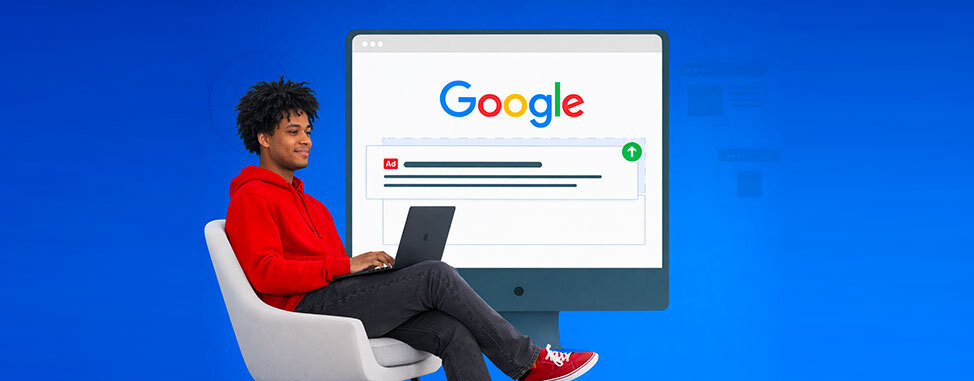
Google Ads let your business appear when someone is actively searching for what you offer.
You’re not interrupting people. You’re showing up at the moment of intent.
Concrete real-life examples:
- A plumber in Mississauga appears for “emergency plumber near me”
- A café in Halifax shows for “coffee shop open now”
- An IT consultant in Vancouver appears for “small business IT support”
- Your favorite web host turns up when looking for “Web hosting in Canada” ;)
At a beginner level, this timing is the biggest value of Google Ads.
You’re not convincing someone they need you. They’ve already decided; they’re just choosing who.
If Google Ads feel confusing or risky, see how WHC’s Google Ads tool simplifies setup and keeps things beginner-friendly.
Where Google Ads show up (and where customers notice)
Most Canadian customers notice Google Ads in two main places.
1. Search results
Ads appear at the top of Google results when someone searches for a service.
They often look similar to regular results, which is why they work so well when the intent is clear.
2. Map results
For local searches, ads can appear directly on Google Maps, sometimes before organic listings.
This is especially powerful for:
- Service businesses
- Urgent needs
- Mobile searches
For beginners, search ads are the best place to start. They’re clearer, more intentional, and easier to control than display or video ads.
When Google Ads make sense for small businesses
Google Ads aren’t always the first step, but they can be very effective in the right situations. They tend to work best when a few things are already clear.
You offer a specific service or product
Google Ads work well when people can search for exactly what you do. For example:
- “furnace repair Ottawa”
- “family lawyer Montreal”
- “IT support for small businesses”
If it’s easy to describe your service in a short search phrase, ads are usually a good fit.
Customers are actively searching for what you offer
Google Ads are strongest when demand already exists.
You’re not trying to convince people they need something.
You’re showing up when they’re already looking.
This is why Google Ads often work better for services than for brand-new or unfamiliar ideas.
You want visibility sooner rather than later
SEO takes time. Reviews take time. Awareness builds gradually.
Google Ads can help you:
- Show up immediately
- Test demand
- Start generating leads while other channels grow
Many Canadian businesses use ads as a short-term accelerator, not a long-term crutch.
Your business depends on leads, calls, or bookings
Google Ads are especially useful when success is easy to measure.
For example:
- Phone calls
- Contact form submissions
- Booking requests
Clear actions make it easier to understand what’s working, and what’s not.
When Google Ads are especially helpful
Google Ads tend to be a good fit for:
- Service-based businesses
- Local businesses
- Competitive markets where SEO takes time
In many cases, Google Ads help bridge the gap while organic visibility and SEO are still building momentum.
Why Google Ads feel expensive or out of control
Most frustration with Google Ads doesn’t come from cost. It comes from not knowing what’s happening.
Common beginner concerns sound like this:
- “I’m getting clicks, but no calls.”
- “I don’t know what’s actually working.”
- “The dashboard is overwhelming.”
- “My budget disappeared quickly.”
These issues usually aren’t caused by Google Ads themselves.
They come from campaigns that are:
- Too broad (too many keywords or locations)
- Too complex (multiple campaigns too early)
- Launched without a clear learning phase
When everything runs at once, it’s impossible to tell what’s helping or hurting. Small businesses don’t lose money on Google Ads because the platform is bad. They lose money because campaigns start too big, too fast.
Tool tip: To help you get started without burning budget, WHC partners with Google Ads and offers eligible customers up to $600 in Google Ads credit. It’s designed to support learning and testing, not pressure you to spend more.
The biggest beginner mistake: doing too much at once
Many first-time advertisers try to:
- Target too many keywords
- Cover too many locations
- Run multiple campaigns
- Use advanced automation right away
This makes results harder to understand and easier to overspend. For small businesses, simple beats clever every time.
A beginner-friendly way to think about Google Ads
Instead of asking:
“How do I get the best possible results?”
Start by asking:
“How do I stay in control while I learn?”
Your first goal with Google Ads isn’t optimisation.
It’s clarity.
That means:
- One main service
- One goal
- One clear outcome to track
The 4 core pieces of a simple Google Ads campaign
At a basic level, every beginner-friendly campaign includes 4 key elements.
1. A clear goal
Examples:
- Phone calls during business hours
- Contact form submissions
- Booking requests
Pick one to start.
2. Specific keywords
These are the searches you want to appear for.
Beginner-friendly examples:
- “furnace repair Ottawa”
- “small business accounting Toronto”
Risky examples:
- “heating services”
- “accounting help”
More specific searches usually mean better intent and less wasted spend.
3. Location targeting
For Canadian businesses, this is critical.
Your ads should only show in:
- Cities you actually serve
- Regions you operate in
- A defined radius around your location
Showing ads outside your service area is one of the fastest ways to waste budget.
4. Budget control
You control:
- Daily spend
- Maximum cost per click
Start small. Learn first. Increase later.
This setup is where many businesses lose control.
WHC’s Google Ads tool helps you launch focused campaigns without unnecessary complexity.
What beginners should focus on (and what to ignore)
Focus on:
- Clear service intent
- Tight location targeting
- One conversion action
- Simple, honest ad copy
Ignore (for now):
- Display networks
- Advanced bidding strategies
- Multiple campaign types
- Constant A/B testing
Those things can come later, once you understand what’s working.
How Google Ads connect to the rest of your marketing
Google Ads don’t replace other channels. They support them.
They work best when:
- Your online visibility is solid
- Your website is clear and trustworthy
- Reviews reinforce confidence
That’s why ads perform better when paired with online visibility basics: ads bring attention, visibility builds confidence.
How WHC helps with Google Ads
WHC’s Google Ads tool is built for small businesses that want clarity, not complexity.
It helps you:
- Launch simple, focused campaigns
- Understand performance clearly
- Keep budgets under control
- Learn what works without guessing
It’s designed to support learning — not overwhelm.
A simple starting checklist
If you’re considering Google Ads, start here:
- Choose one service to promote
- Decide what counts as a successful lead
- Limit ads to your real service area
- Set a budget you’re comfortable learning with
- Review results once a week, not every day
Learning is part of the process.
In short
Google Ads don’t need to be risky or overwhelming.
When they’re simple, focused, and controlled, they can be one of the fastest ways for small businesses to get in front of the right customers.
Explore WHC’s Google Ads tool to launch ads with clarity and confidence,
or return to the Online Marketing Pillar Guide to choose your next focus.
 About the author: Marie-Eve Petit
Marie-Eve is WHC’s Marketing & Communications Manager and an unapologetic word nerd. Passionate about tech, music, and the power of punctuation, she thrives on helping Canadians succeed online and making an impact at WHC. When she’s not at work, you’ll find her enjoying a spritz on a terrace somewhere, lost in her garden, or maintaining her undefeated Scrabble streak (since 1998!).
See all articles from this author Interested in writing for Web Hosting Canada?
Also on the WHC Blog

How to monitor competitors (without spending hours a week!)
Most businesses don’t fall behind because they did something wrong — they fall behind because something changed and they didn’t notice. Competitors don’t usually overtake you overnight. It happens slowly, quietly,...
Read full article
Social media for Canadian small businesses: how to stay visible without burning out
For many small business owners, social media feels like a chore they’re constantly behind on. You know it matters. You’ve probably posted a few times. Maybe you even started strong—then life, work, and customers...
Read full article
