

WordPress 7.0 Armstrong is here, and it changes what WordPress is
WordPress 7.0 just landed, and it isn't a feature update. It's a platform shift.
Released on May 20, 2026 and codenamed "Armstrong" (continuing the jazz tradition after "Shirley" 6.4 and "Gene" 6.9), this is the release where WordPress stops treating AI as an add-on and starts building it directly into the platform. The admin finally got the refresh the community has been asking for since 2013.
Designers and site owners get real control without writing code. And underneath, the foundation for the next five years of WordPress is now in place. For the full technical breakdown, see the official WordPress 7.0 release notes.
Here's what changed, what it means for your site, and how to upgrade without breaking anything.
What's new in WordPress 7.0: the short version
TL;DR: WordPress 7.0 introduces native AI infrastructure, refreshes the admin interface, and gives site owners far more design and responsive controls inside the editor. Key changes:
- AI Connectors hub and WP AI Client for standardized AI integration
- "Modern" admin theme with smoother View Transitions
- Visual Revisions with a slider to compare versions
- Responsive editing to show or hide blocks per device
- Font library now available across all themes
- New blocks: Breadcrumbs, Icons, and Tabs
- Block-level custom CSS without touching theme files
- Customizable mobile menu overlays in the Site Editor
- PHP 7.4 is now the minimum supported version
Released May 20, 2026. Codename: Armstrong. Available now for download or update from your WordPress dashboard.
The big shift: WordPress is now AI-native
WordPress 7.0 introduces the Connectors screen, a single hub in Settings for managing external service integrations. AI providers are the first big use case. Three are shipped by default: Anthropic (Claude), Google (Gemini), and OpenAI (ChatGPT). Community-built connectors can plug in others like Ollama for local AI or OpenRouter as an aggregator.
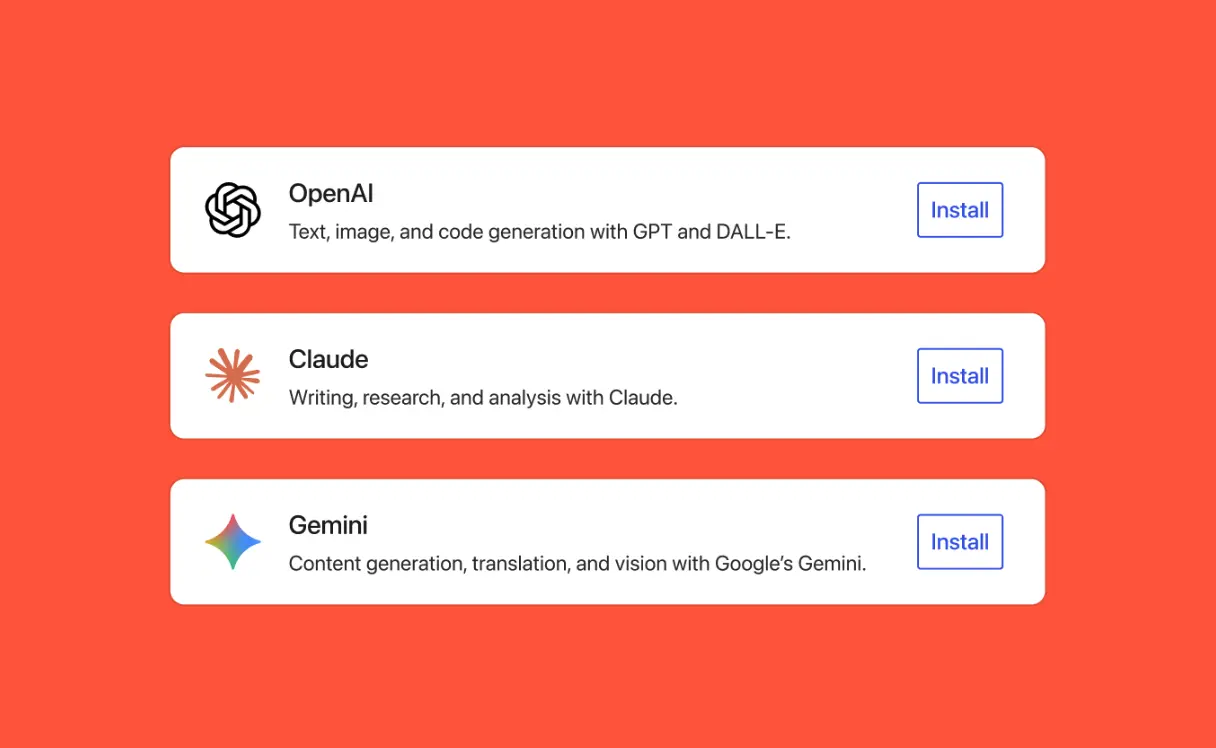
Sitting next to Connectors is the WP AI Client, a single PHP interface that works with any connected AI provider. A plugin describes what it needs and how. WordPress routes the request to whichever AI provider you've connected.
This sounds small. It isn't.
Until now, every AI plugin shipped its own API key field, its own provider selection, its own billing relationship, its own setup screen. Add three AI plugins to your site and you had three duplicate setups, three duplicate keys to manage, and three places things could go wrong.
With 7.0, you connect once. Compatible plugins use whatever you've connected. It's the kind of change you won't notice the day you install it, but every AI tool built for WordPress from here on out will be easier to set up, easier to manage, and easier to swap.
One practical note on cost: you still pay your AI provider directly based on usage. Before you plug an API key into WordPress, you can set a spend cap on the provider's dashboard. Then connect with peace of mind.
This also matters for hosting. AI-heavy plugins put more load on PHP, more pressure on memory, and more demands on the server. If you're running WordPress on a shared environment that was already tight, this is a good moment to look at your plan. Our Managed WordPress hosting is built for this kind of workload, and WP Care Plans handle the optimization side for you.
A new, cleaner admin (finally!)
Visually, the WordPress admin has had the same vintage style since 2013. WordPress 7.0 finally fixes that, and the team did it without a complete rebuild.
Now quieter with fresh default colours, the refreshed admin brings:
- A color palette with higher contrast for better readability
- New styles for buttons, inputs, and form controls
- Updated typography across the dashboard
- New Customizer, color picker, and multisite signup screens
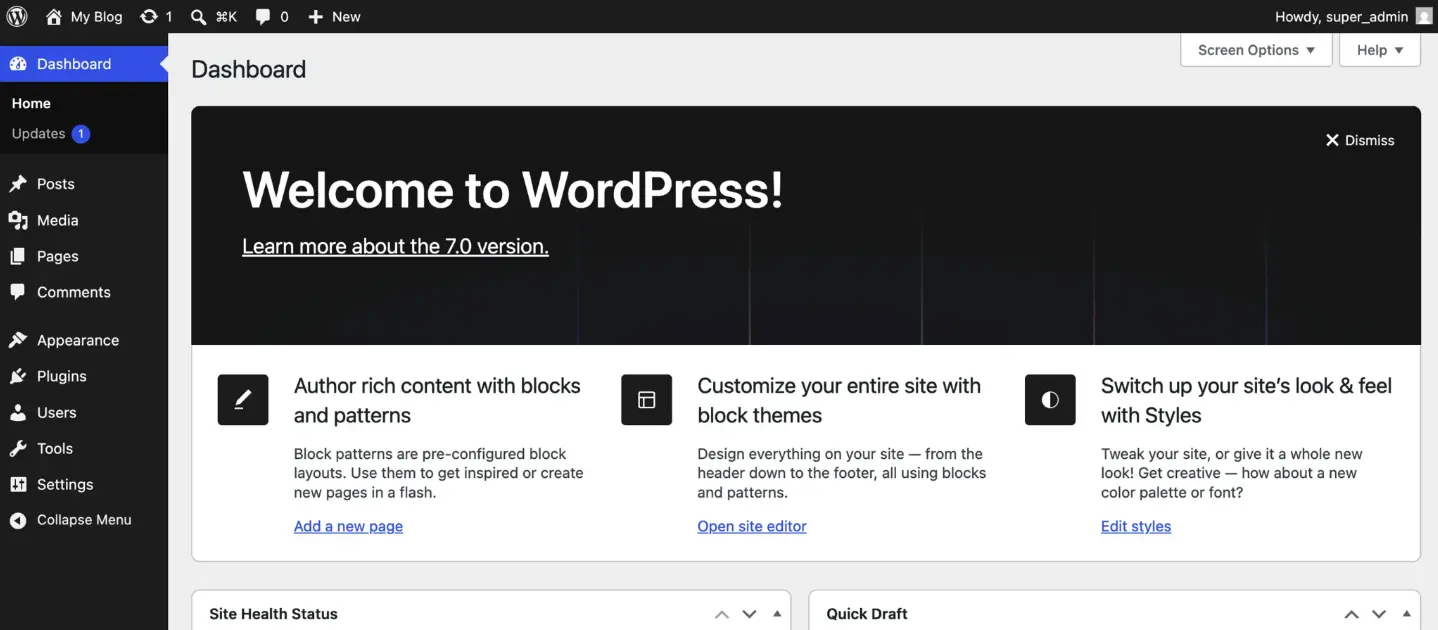
It's the kind of change that's easy to underestimate from a screenshot. You feel it when you're inside the dashboard for an hour and your eyes don't hurt the way they used to.
The release also adds View Transitions across admin screens. Instead of jumping abruptly between pages, the dashboard now fades between them. Smoother, less jarring, and respectful of system-level reduced-motion settings if you have them on.
The Command Palette also got an upgrade. It already worked with the keyboard shortcut (⌘K on Mac, Ctrl+K on Windows), but now there's a dedicated icon in the admin bar so you can open it from anywhere with a click.
Improving Web Accessibility continues to be a priority for the WordPress community and WordPress 7.0 progresses toward WCAG 2.2 compliance, with improvements to color contrast and voice control usability. This matters across the board, and especially for regulated and public-sector clients.
Visual Revisions: see what changed, not just when
If you've ever opened a WordPress revision and squinted at a wall of HTML trying to figure out what actually changed, this one's for you.
WordPress 7.0 introduces Visual Revisions: a proper visual comparison tool built into the editor. You get a slider bar to switch between two saved versions and color indicators marking exactly where edits happened. Click any indicator and you jump straight to that spot in the document.
For teams reviewing content before publishing (like ours here at WHC!), this is one of those features that quietly eliminates a category of back-and-forth that used to slow everything down. Editors, agencies, and content teams will benefit from most.
Design without writing code
For years, real design control in WordPress meant either learning CSS or hiring someone who knew it. This is where WordPress 7.0 hands serious control back to site owners.
The Site Editor now handles things that used to live in code: responsive behavior, custom styling per block, mobile menu layouts, even individual fonts. You point, you click, you see the result. No theme files. No custom CSS file. No developer required for the kind of changes you needed one for last year.
Here's what that looks like in practice.
Responsive editing, one block at a time
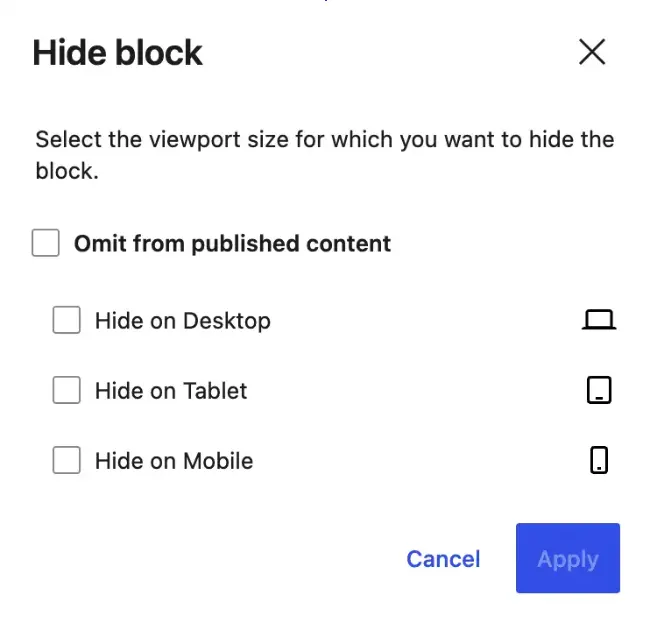
You can now show or hide individual blocks based on device type. Desktop only? Mobile only? Tablet but not phone? It's a toggle in the block toolbar or the block inspector.
The List View shows small indicators so you can see at a glance which blocks have device rules applied. And custom breakpoint sizes mean responsive design is no longer a developer-only conversation.
Block-level custom CSS
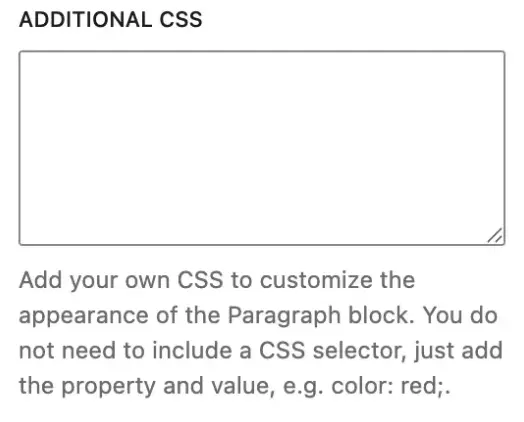
You can now add custom CSS directly to a single block from the editor (Settings → Advanced). No more dropping CSS into the theme and hoping it doesn't break something else on the site. Target the block you want, change what you want, move on.
Customizable mobile menu overlays
The mobile hamburger menu used to be a fixed overlay you couldn't really design. In 7.0, it's a canvas. Build it with blocks and patterns in the Site Editor, add columns, control the font size, place the close button where you want it. Themes can include ready-made overlay templates and patterns too, so you start from something instead of from blank.
New blocks: Breadcrumbs, Icons, Tabs
- Breadcrumbs brings site hierarchy into core. Place it anywhere, including a theme header, and it shows visitors where they are in your site. Developers get filters to customize taxonomy and term behaviour.
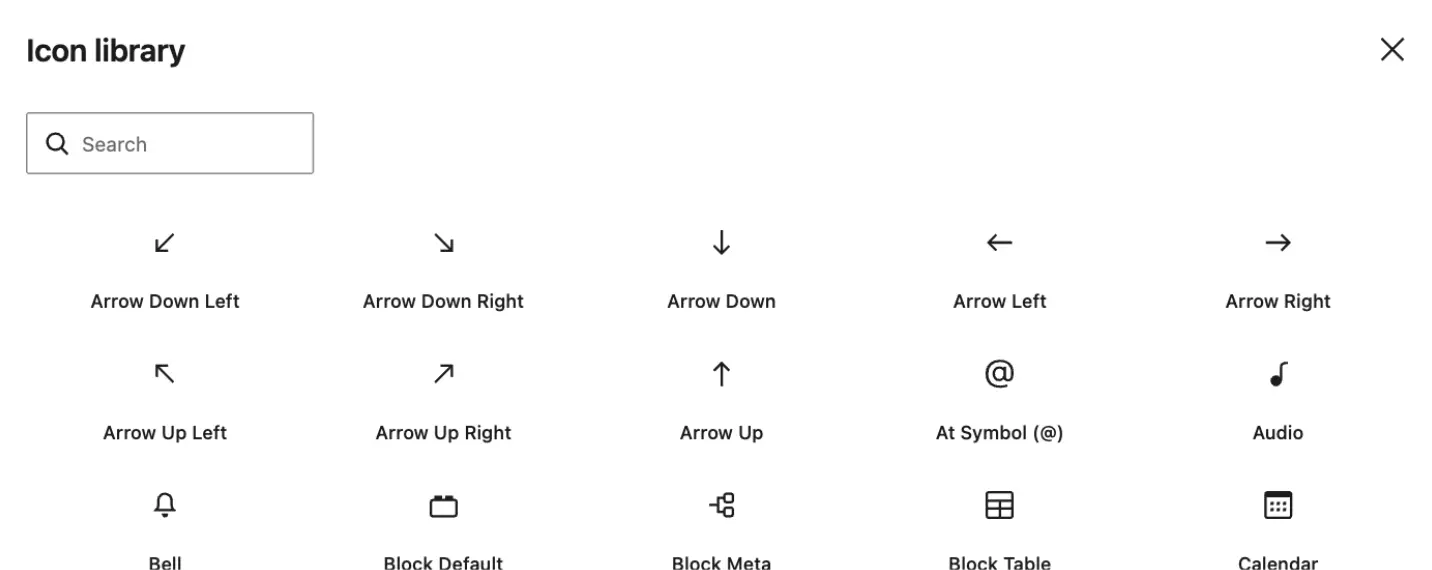
- Icons lets you drop SVG icons natively into the editor from a built-in library, no plugin required.
- Tabs organizes content into clickable tabs without a third-party block.
Font library, finally for all themes
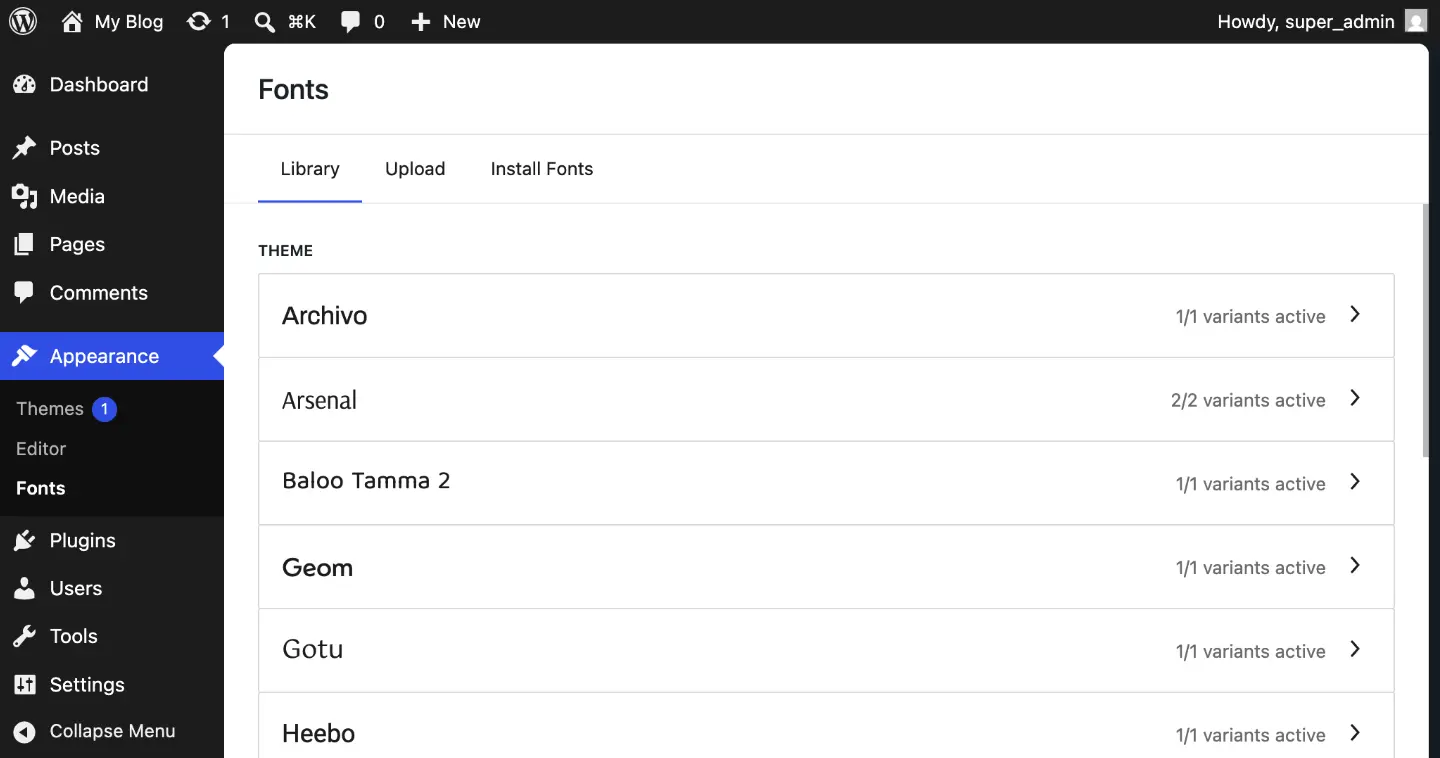
The font library used to be a block-theme-only feature. In 7.0, it works across all WordPress themes, including classic and hybrid ones. Browse, upload, install, and manage fonts directly from Appearance → Fonts. No third-party plugin needed.
Also worth noting
- Text indentation, text columns, dimension presets, and aspect ratio controls for wide and full images
- Gallery lightbox support out of the box
- Dynamic URL support on Navigation Link blocks
- Grid block now scales automatically across screen sizes
- Cover block accepts video embed by URL (in addition to upload, media library, or featured image)
Safer defaults and quieter performance work
WordPress 7.0 is such a major upgrade that there are a number of changes you won't see in the release notes' top features list, but they do still matter.
Security. The Administrator and Editor roles have been removed from the default role selector for new user registration. It used to be possible (and embarrassingly common) to accidentally configure your site so that every new sign-up became an editor. That door is now closed by default. Site Health will alert you if those roles had been selected before the update, and developers can still modify the excluded roles through a filter.
Performance. WordPress 7.0 improves image loading prioritization so hidden images (the kind sitting in navigation overlays or interactive blocks) no longer degrade the loading of critical resources. Scripts also load more efficiently, which means pages render faster. And OPCache status is now visible in Site Health → Info → Server, which matters for confirming PHP-level caching is running on cart, checkout, and other pages WordPress can't cache.
PHP 7.4 is the minimum. Most sites are already there: more than 90% of WordPress sites run PHP 7.4 or newer. If you're on PHP 7.2 or 7.3, you won't be able to update to WordPress 7.0; you'll stay on 6.9.4 and continue to receive security updates. On WHC hosting, you can update your PHP version from cPanel in a couple of clicks. If you're not sure where to start, our support team handles this every day.
WordPress 6.9 vs 7.0 at a glance
|
Feature |
WordPress 6.9 "Gene" |
WordPress 7.0 "Armstrong" |
|
AI integration |
Plugin-by-plugin, no standard |
Native Connectors hub + WP AI Client |
|
Admin look |
Same since 2013 |
Modern theme with refreshed palette and typography |
|
Revision review |
HTML diff guesswork |
Visual Revisions with slider and color indicators |
|
Responsive controls |
Limited, mostly theme-driven |
Per-block show/hide per device, custom breakpoints |
|
Mobile menu overlays |
Fixed design |
Built from blocks and patterns in the Site Editor |
|
Font library scope |
Block themes only |
All themes, including classic and hybrid |
|
New native blocks |
Accordion, Math, Time-to-Read |
Breadcrumbs, Icons, Tabs |
|
Custom CSS scope |
Theme or site level |
Block level too |
|
Minimum PHP |
7.2 |
7.4 (PHP 8.x recommended) |
|
Codename |
Gene (Gene Harris) |
Armstrong (Louis Armstrong) |
Before you upgrade: wait, then test
Here's the honest advice we give every client when a major WordPress release lands: don't update your production site on day one.
Major WordPress releases (the *.0 versions) can ship with small bugs that get patched in a follow-up release like 7.0.1 or 7.0.2 a few weeks later. Plugins and themes also need time to catch up. Update on day one and you risk a broken checkout, a contact form that stops sending, or a layout issue you didn't catch in advance.
What we recommend:
- Wait for 7.0.1, or at minimum two to three weeks after the 7.0 release, before touching production.
- Back up your site (files and database) before any update.
- Update plugins and themes first, so they're on their latest versions before you touch WordPress core.
- Test on a staging environment. This is the single most important step. WHC's Managed WordPress plans include one-click staging that creates a copy of your live site for safe testing. See our guide on how to use Managed WordPress staging.
- Update WordPress from your dashboard once staging looks clean, or follow our guide on manually updating WordPress and plugins.
- Check the flows that matter: checkout, contact forms, search, navigation, key landing pages. Five minutes here saves headaches later.
Not sure if your setup is ready? Our support team can take a look. If you'd rather not deal with the update at all, WP Care Plans handle the whole thing for you.
Frequently asked questions
When was WordPress 7.0 released?
WordPress 7.0 was released on May 20, 2026. It's the first major WordPress release of 2026, with 7.1 expected in August 2026 and 7.2 in December 2026.
What is WordPress 7.0 codenamed?
WordPress 7.0 is codenamed "Armstrong," in honour of jazz legend Louis Armstrong. WordPress continues its tradition of naming major releases after jazz musicians like Shirley Horne ("Shirley" 6.4) and Nina Simone (“Simone” 5.6). Miles Davis was the first ever WordPress codename honouree with version 1.0 back in 2004.
What's the biggest change in WordPress 7.0?
The most significant change is built-in AI infrastructure. WordPress 7.0 introduces the Connectors hub (a single place in Settings to manage AI provider credentials like Anthropic, Google, and OpenAI) and the WP AI Client, a provider-agnostic PHP API that plugins use to call AI models. This standardizes AI integration across the platform.
Is it safe to update to WordPress 7.0 right now?
We recommend waiting. Major WordPress releases (*.0 versions) usually have small bugs that get patched within two to four weeks in a follow-up like 7.0.1. Plugins and themes also need time to catch up to the new version. Once 7.0.1 ships, or after a couple of weeks of stability, you can update with much lower risk. Either way: back up your site, update plugins and themes first, and test on a staging environment before touching your production site. WHC's Managed WordPress plans include one-click staging for this reason.
Do I need to do anything special on WHC Managed WordPress hosting?
No. WHC's managed WordPress plans include one-click staging, daily backups, and automatic minor updates. Major releases like 7.0 are typically applied on a staggered schedule, with staging available anytime for you to test the new version before going live. If you'd rather hand off the update entirely, our WP Care Plans handle it for you.
What about real-time collaboration?
Real-time collaboration was originally planned for 7.0 but didn't make the release. The team needed more time to stabilize it. Expect it in a future version of WordPress.
And when this rolls out, it’ll mark a major leap forward for collaboration in WordPress. Multiple users will be able to edit the same post or page simultaneously, with live syncing that keeps everyone’s changes aligned in real time. Think Canva or Google Docs-style directly into the WordPress editor.
WordPress-ers are patiently waiting.
What this release really means
This isn’t just another feature update. WordPress 7.0 sets the direction for how websites will be built on WordPress in the next 5 years.
The AI shift is the main headline here. The admin refresh is the part you'll feel every day. The design controls are the part that hands real power back to site owners who don't write code.
Pair WordPress 7.0 with the right web hosting optimized for WordPress, like WHC’s Managed WordPress with fast Canadian infrastructure, server resources tuned for WordPress workloads, 1-click installs, and a support team that knows the platform, and you're ready for what comes next.
If you want help updating safely, or you're ready to move to faster WordPress hosting, reach out to our team. We'll get your site running smoothly on Armstrong, in no time.
 About the author: Marie-Eve Petit
Marie-Eve is WHC’s Marketing & Communications Manager and an unapologetic word nerd. Passionate about tech, music, and the power of punctuation, she thrives on helping Canadians succeed online and making an impact at WHC. When she’s not at work, you’ll find her enjoying a spritz on a terrace somewhere, lost in her garden, or maintaining her undefeated Scrabble streak (since 1998!).
See all articles from this author Interested in writing for Web Hosting Canada?
Also on the WHC Blog

PLUS Rewards Points: How They Work and 5 Smart Ways to Use Them
There's a good chance you have money sitting in your WHC account right now. Not a promo. Not a coupon with fine print. Real credit, earned automatically every time you've paid an invoice with us. They're called PLUS Rewards...
Read full article
.ca vs .com: Which Should a Canadian Business Register First?
Quick answer. For most Canadian businesses, register the .ca first. It signals you’re local, builds trust with Canadian customers, and the name you want is far more likely to be available than on .com. If you...
Read full article
