


PLUS Rewards Points: How They Work and 5 Smart Ways to Use Them
There's a good chance you have money sitting in your WHC account right now.
Not a promo. Not a coupon with fine print. Real credit, earned automatically every time you've paid an invoice with us. They're called PLUS Rewards points, and most clients have never touched them.
That's a shame, because the program is one of the simplest ways to save on services you're already paying for. You spend, you earn, you redeem when you feel like it.
This post covers everything: how points are earned, what they're worth, how to redeem them step by step, and five smart ways to put them to work.
What are PLUS Rewards points?
PLUS Rewards is WHC's loyalty program, and every WHC client is automatically part of it. There's nothing to activate and no card to sign up for. If you've ever paid an invoice with us, you've been earning points.
The mechanics are simple:
- You earn 20 points for every dollar you spend at WHC, excluding taxes. Pay a $100 invoice, get 2,000 points.
- Points are added when your invoice is paid, not when it's issued. So they show up right after each payment goes through.
- 1,000 points convert into $1 of account credit. That credit works like money in your WHC account: you apply it to purchases, renewals, or open invoices.
Do the math and the program works out to roughly 2% back on everything you spend at WHC. That's in the same range as a decent cashback credit card, except you didn't have to apply for anything, and it stacks with whatever payment method you already use. You're effectively getting cashback on top of cashback.
How much are you actually earning?
Let's make it concrete. Here's what a year of typical WHC spending earns in points:
A starter setup. One hosting plan and a domain, around $120 a year. That's 2,400 points, or about $2.40 in credit annually. Modest, but it's free money on autopilot.
A growing business. Hosting, a few domains, business email for the team, and an SSL certificate, around $450 a year. That's 9,000 points, or $9 in credit. Enough to cover a domain renewal without thinking about it.
Multiple sites or a heavier setup. If you're running several sites, reseller hosting, or a stack of services, $1,500 a year in spending earns 30,000 points, or $30 in credit. That starts making a real dent in a renewal invoice.
The pattern: the more of your web presence lives at WHC, the faster the points pile up. And since they're earned on renewals too, not just new purchases, the balance keeps growing as long as you're a client.
How do I redeem my PLUS Rewards points?
This is the part most people have never seen, so let's walk through it properly. The whole thing takes about a minute.
Step 1: Log in to your Client Area. This is the same place you manage your hosting and domains.
Step 2: Click Benefits in the left menu. It's easy to miss, which is honestly why so many points go unused. Inside, select PLUS Rewards.
Step 3: Check your balance. Your current points total is right there, along with your redemption history. It’s worth checking as the number might surprise you!
Step 4: Hit Redeem and choose your amount. Enter how many points you want to convert. The minimum is just 10 points, so there's no threshold to wait for. You don't have to redeem everything at once either. Convert what you need, keep the rest growing.
Step 5: Confirm. Your points become account credit instantly.
One important thing to know: the credit doesn't apply itself automatically. After converting, you choose when and where to use it, at checkout or when paying an invoice. Your credit sits in your account and waits until you're ready. Nothing happens without you deciding it.
5 smart ways to use your points
Credit in hand, here's where it goes furthest.
1. Put it toward your next renewal
The zero-effort option, and the smartest one for most people. Your hosting, domains, and services renew on a schedule anyway. Converting your points before a renewal means paying less for something you were already going to buy.
A good habit: when a renewal notice lands in your inbox, take that as your cue to check your points balance. Convert, apply, pay the difference. Over a few years of renewals, that's real money back in your pocket for thirty seconds of clicking.
2. Register a domain name you've been thinking about
You know the one. The .CA you keep checking to see if it's still available, the project idea that needs a home, the variation of your business name you should probably lock down before a competitor does.
Domain registrations are exactly the kind of small purchase your credit covers well. A balance of a few thousand points can take a meaningful bite out of a new domain, which turns "maybe someday" into "why not now."
3. Try something new, on the house
This is where points get genuinely useful. The hardest part of trying a new tool is justifying the spend before you know if it's worth it. Credit removes that barrier.
A good example: WHC's online marketing tools help you get found on Google, manage your reviews, and run your social media from one dashboard. If you've been wondering whether SEO or reputation tools would actually move the needle for your business, your points let you find out while spending little (or nothing) extra. Worst case, you learn something about your online presence. Best case, you find a tool that pays for itself.
New products land at WHC regularly. Think of your points as a standing invitation to test them first, at a discount you've already earned.
4. Round out your setup
There's usually one piece missing from any web setup. Business email for the new hire. An SSL certificate for that second site. Site security you've been meaning to add since you read one too many headlines about hacked websites.
These additions tend to cost a few dollars a month, which makes them a perfect match for points credit. You strengthen your setup, and your balance covers part of the bill.
5. Let them stack
Points don't expire while your account is active, so doing nothing is also a strategy. Every invoice you pay keeps adding 20 points per dollar. Leave them alone and your balance grows toward something bigger, like a serious chunk of an annual hosting plan.
There's no wrong rhythm here. Redeem small and often, or save up for a bigger move. The only mistake is forgetting they exist, because unused points are the only bad kind.
Should you redeem now or save up?
Both work, so it comes down to how you like to save.
Redeem as you go if you want the satisfaction of seeing every invoice shrink a little. Convert before each renewal, apply the credit, repeat. Simple and consistent.
Stack and splurge if small discounts don't excite you. Let the balance build for a year or two, then knock a chunk off an annual plan or fund a new project. Since points don't expire on active accounts, there's no pressure clock.
The honest answer for most people: set a reminder to check your balance when renewal season comes around. That way the points never slip your mind, and you decide in the moment whether to spend or keep stacking.
The bottom line
You're already earning PLUS Rewards points on every WHC purchase, at about 2% back. The earning part is automatic. The only step that's on you is the redeeming.
Log in, check your balance, and see what it's worth. It takes a minute, and the worst case is finding out you have a few dollars you didn't know about. 😉
Check your PLUS Rewards balance →
Frequently Asked Questions
What are PLUS Rewards points worth?
1,000 points equal $1 of WHC account credit. For example, 25,000 points convert into $25 you can apply to purchases, renewals, or invoices. Since you earn 20 points per dollar spent, the program works out to roughly 2% back.
How do I earn PLUS Rewards points?
Automatically. Every dollar you spend at WHC (excluding taxes) earns 20 points, on new purchases and renewals alike. Points are added to your account when your invoice is paid. There's no sign-up and nothing to activate.
Is there a minimum to redeem?
Yes, but it's tiny: 10 points. If you've made any purchase at WHC, you already have enough to redeem.
Do PLUS Rewards points expire?
No, your points stay in your account as long as your account remains active.
Does my credit apply automatically?
No. After you convert points into credit, you choose when to use it, at checkout or when paying an invoice. Your credit waits until you're ready.
Can I use my credit on any WHC product?
Your account credit applies to WHC purchases, renewals, and open invoices, including hosting, domains, email, security, and marketing tools.
Where do I see my points balance?
In your Client Area, under Benefits in the left menu, then PLUS Rewards.
 About the author: Claudia Bouchard
Claudia is a Marketing Specialist at WHC. She keeps marketing projects on track and makes sure product launches are set up for success. When she's not working, she's probably at a new restaurant, enjoying the sunshine, or somewhere with good company.
See all articles from this author Interested in writing for Web Hosting Canada?
Also on the WHC Blog

A Clearer, Faster Way to Get Support at WHC
When something's not right with your website or email, you shouldn't have to figure out how to reach us. Help should be easy to find and easy to get… whatever the hour. This is why we've just made a change we're genuinely...
Read full article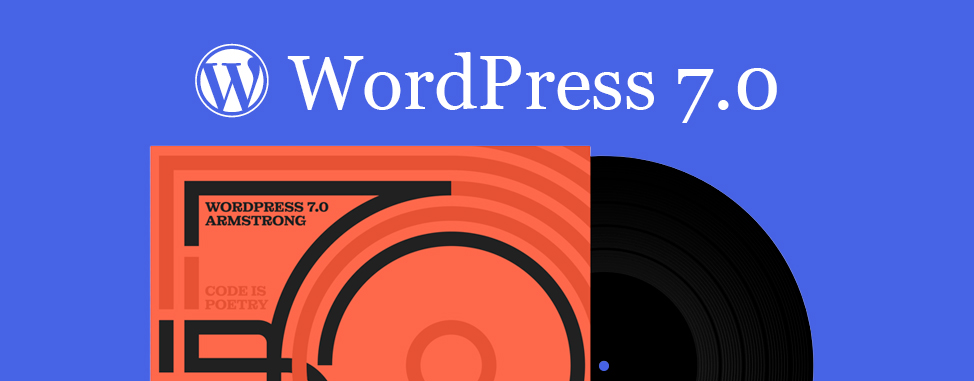
WordPress 7.0 Armstrong is here, and it changes what WordPress is
WordPress 7.0 just landed, and it isn't a feature update. It's a platform shift. Released on May 20, 2026 and codenamed "Armstrong" (continuing the jazz tradition after "Shirley" 6.4 and "Gene" 6.9), this is the release...
Read full article
