

Your WordPress site just got safer, automatically
The short version: Security threats keep evolving, and in the age of AI they move faster than ever. To stay ahead of them, we've added a new security tool to every WordPress site hosted at WHC. It's installed and working already, with nothing for you to set up.
Just as important: keep your WordPress site updated. Even with this new protection in place, an up-to-date site is the single best way to protect yourself against security threats.
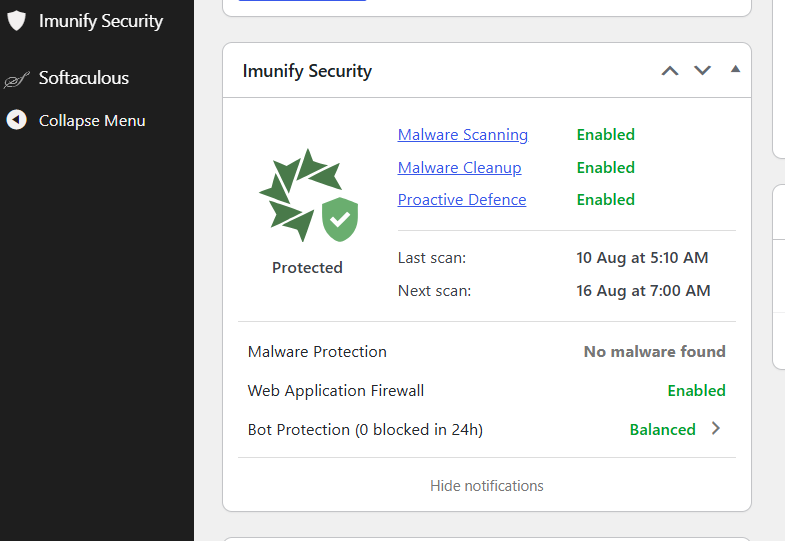
If you have a WordPress site hosted with us, you'll find the tool already there. Open your WordPress dashboard, go to your Plugins list, and you'll see "Imunify Security"
Why these threats move so fast
Before AI became mainstream, finding a vulnerability in software required time, expertise, and patience. Today, AI can help attackers identify weaknesses in minutes instead of days, creating new cybersecurity challenges for organizations around the world.
Attackers now use automated tools, and increasingly AI, to scan software for flaws at a speed and scale no human could match. A weakness that once took experts weeks to uncover can be found far faster today.
And here's the part that catches people off guard. When a software or a platform like WordPress fixes a security flaw, it has to publish and explain what it is fixing. That explanation doubles as a roadmap for hackers. Attackers read it, work out how to break into sites that haven't applied the update or the protection patch, and start hunting for them almost immediately.
So the same announcement that protects updated sites paints a target on every site that's even a little behind.
This summer, a serious WordPress flaw nicknamed "WP2Shell" showed exactly how fast this happens. The flaw was made public alongside its fix, and within hours, attacks were already underway against sites that hadn't updated. Not days. Hours. If not minutes.
You can't win that race by hand. By the time anyone hears about a flaw and logs in to check, the first wave of attacks has already swept through. Nobody can keep up manually. So we don't ask you to.
What we've added
We've rolled out Imunify security across every WordPress site hosted at WHC. At its core it’s a web application firewall, or WAF. Think of it as a guard that sits in front of your site, checking every visitor before they get in and turning away the ones that look like trouble.
In plain terms, here's what it does for you:
- Stops attacks before they reach your site. Even brand-new ones it hasn't seen before, which is exactly what matters in the first hours after a flaw goes public.
- Scans for malware and cleans it up on its own. If something bad gets onto your site, Imunify catches it and removes it instead of letting it sit there.
- Blocks repeated break-in attempts, like someone trying to guess your password over and over.
- Shows your security status right in your WordPress dashboard, so you can see what's happening without leaving WordPress.
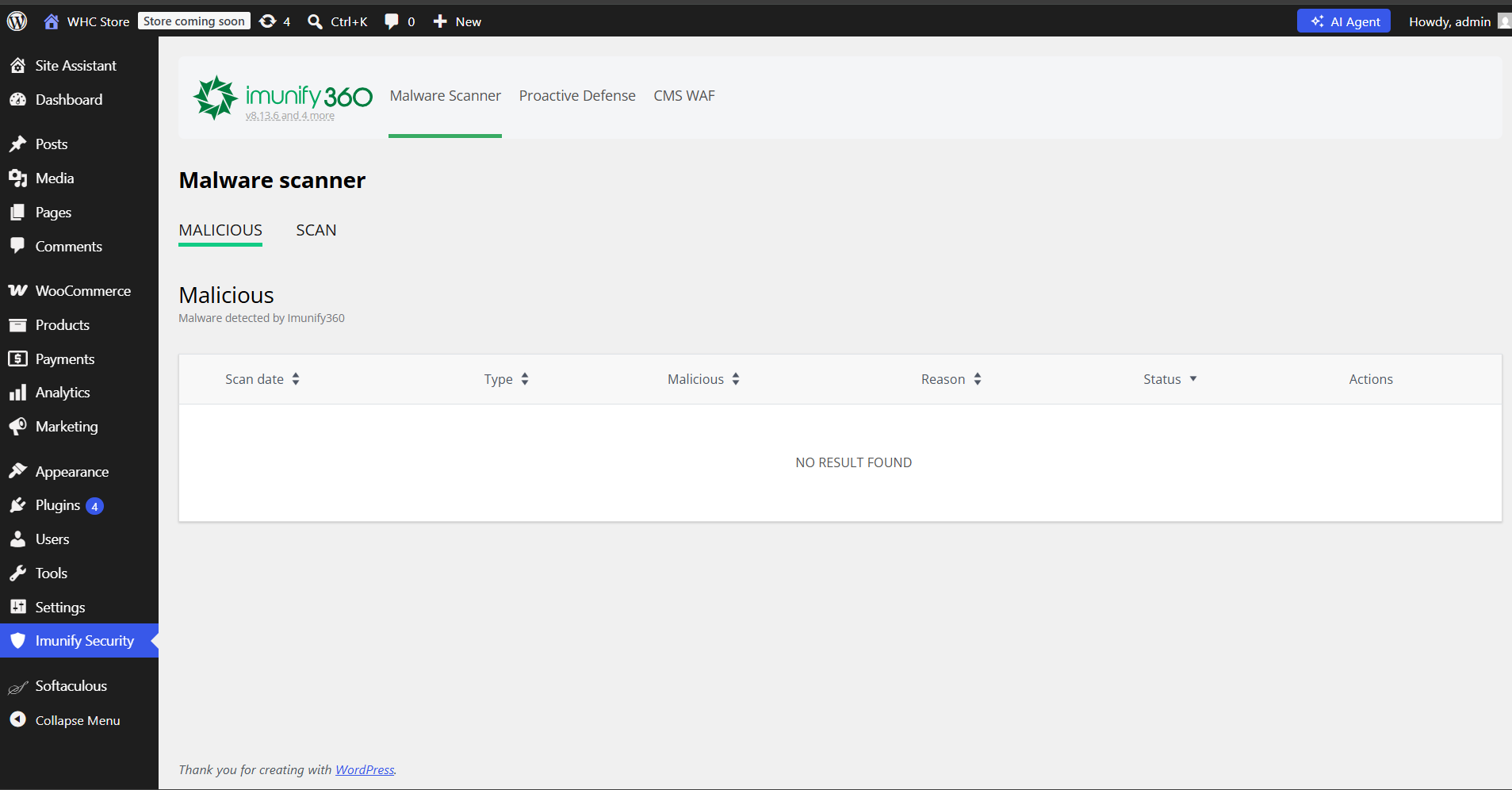
This kind of protection used to run quietly in the background where you couldn't see it. Now it's right there in your dashboard, and you can check on your site anytime.
What this means for you
If you’re on a Managed WordPress or Web Hosting plan at WHC and your website is built on WordPress, Imunify stands guard at the door, blocking attacks whether or not your site has updated yet. And every time you update WordPress, you close the underlying flaws at the source.
Together, that's real protection. One catches the attacks. The other removes the openings they're aiming for.
Your site's safety shouldn't depend on you catching a security alert in time. Now it doesn't.
Built on hosting that protects you by default
The new tool is one more layer on top of something we've been doing for a long time: building WordPress hosting that keeps your site safe without you having to think about it.
Our Managed WordPress Hosting keeps WordPress current with automatic core updates, runs on fast Canadian servers, and is tuned for WordPress from the ground up. Updates happen in the background. Security stays current. You get on with your work.
That's the whole idea. The safest site is the one you don't have to babysit.
Do you need to do anything?
The new protection is automatic. We've installed it for you, and it's already working.
There's one thing worth doing, and it's the most important habit for any site owner: keep your WordPress site updated. Turn on automatic updates if you can. Even with Imunify in place, an up-to-date site is your strongest protection. (When a flaw like WP2Shell appears, WordPress ships a fix fast, like this July security release, and updating is how you actually get it.)
There are many other reasons to update WordPress. Updating is also relatively simple.
Would rather not think about it at all?
Not everyone has the time or the head space to keep on top of updates, backups, and security checks. If that's you, we can help. Join the many clients on a care plan for their WordPress website. This offload the technical stuff to our team of experts! They’ll monitor your site 24/7, run updates and daily backups, scan for malware, and send you a monthly report so you always know your site is in good shape. You focus on your business. We keep the site healthy.
 About the author: Marie-Eve Petit
Marie-Eve is WHC’s Marketing & Communications Manager and an unapologetic word nerd. Passionate about tech, music, and the power of punctuation, she thrives on helping Canadians succeed online and making an impact at WHC. When she’s not at work, you’ll find her enjoying a spritz on a terrace somewhere, lost in her garden, or maintaining her undefeated Scrabble streak (since 1998!).
See all articles from this author Interested in writing for Web Hosting Canada?
Also on the WHC Blog

Domains can now earn you commissions
TL;DR: Domains are now eligible for WHC affiliate commissions. You earn a flat $1 for every domain you refer (.com, .ca, .net, .org, and more) on new registrations, on top of the commissions you already earn on hosting and...
Read full article
How to spot a domain name worth buying (with investor Arif Mirza)
TL;DR: A good domain name is a real asset, not just an address. In this episode of WHC Talks, domain investor Arif Mirza breaks down what makes a domain valuable, how to judge one before you buy, why your email address matters...
Read full article