
Archives

Protect your social

4 tips to stay safe on social media

With 4.7 billion users worldwide, social networks have become a part of our lives. However, while these platforms are a place for sharing photos, videos, opinions and views, they are also a target for cybercriminals. This is why everyone needs to take charge of their safety on social networks, whether it involves their personal or business accounts. 

Be security conscious on social networks

In 2022, the Canadian Anti-Fraud Centre documented losses of $530 million, and contrary to what you might think, these security incidents targeted not only personal accounts, but also 21% of Canadian businesses. Parc Safari, for example, had its Facebook page hacked and plastered with adult content. Over the years, cybercriminals have perfected their methods, which include phishing, psychological hacking, privacy breaches and the use of malware

To find out more about how to protect yourself against malware and phishing, click here.

Psychological hacking: the practice of extracting confidential information by manipulating users. A hacker often uses the telephone or the Internet to trick individuals into providing personal information. Phishing is a form of psychological hacking.

Use strong passwords

It's important not to choose passwords that are too simple, such as the name of your pet or your children. They can be easily guessed by a hacker. Choose passphrases instead, such as "iMeatinGagreeNapplE14!". Not only are they more memorable, they're also more difficult to decipher.

To strengthen the security of your social networking and online accounts, you can also consider a unique password. In fact, one effective technique is to take a memorable phrase like "I hate accounting" and use the first letters of each word to form the basis of your password. In this example, that would be "iha". Then add numbers, special characters and capital letters to increase the complexity of your password.

Also, avoid using the same password for all your accounts, in case one of them is compromised. To help you keep track, use a password manager like LastPass or 1password.

Enable two-factor authentication 

Most social networks now offer two-factor authentication, providing an extra level of security in the event your password is compromised. This method relies on elements that are unique to you:

  • What you know: a PIN, a password or a security question.
  • What you own: your phone. A random code can be sent to you by SMS or generated in the Google Authentificator app.
  • Who you are: your fingerprints, your face, your eyes or your voice.

If your password is compromised, it's essential to quickly change the passwords on all your accounts. In addition, always lock your smartphone with a password to prevent unauthorized access to your data in the event of loss or theft.

Optimize privacy and control settings

You can customize the privacy settings on your social network accounts in order to better control who can see your information. Default settings often grant greater access than necessary. It's important to understand these settings and adjust them accordingly. Take Facebook, for example, where you can determine the following:

  • Who can view your mentions, likes and comments
  • Who can access your friends list
  • Who can see your photos
  • Etc.

There's also a lot of personal information about subscribers on social networks: the names of their friends and family members, how they spend their vacations and the content of their personal messages. It's important to understand how social networks use this information.

As a company, be sure to appoint trusted administrators to manage your business pages on social networks. This will avoid potential problems. Also, remember that you can limit and define access levels according to individual roles and responsibilities; this includes removing access when someone leaves the company or is no longer mandated to manage social network accounts.

Protect your personal information

Even with all these precautions, you can never be 100% sure about people’s identity online. Also, be very wary of requests from strangers – take the time to verify the authenticity of their accounts. If you’re a company, you should also check the authenticity of your subscribers' accounts.

It is essential never to disclose the following:

  • Personal information such as your address, telephone number, e-mail address, date of birth, SIN, passport, place of work or the school your child attends.
  • Banking and financial information such as the name of your banking institution, your financial situation, or your credit card number – even in private messaging.
  • Geotagged photos, as they usually contain automatic location information. To protect your privacy, you have the choice of deleting the geolocation data before publishing the photo. Alternatively, you can decide to disable the geolocation function in your mobile device settings.
  • Images revealing personal information, such as a photo with your address or the name of a street in the background, a license plate number, or details of your activities, such as a plane trip or vacation.

On the other hand, as a business, it's acceptable to share certain elements and geolocations to promote your activities. However, it's essential to carefully filter what you share. Make sure you don't reveal any information that could jeopardize your business, your employees or your assets.

Unfortunately, thousands of people have their accounts hacked every day. A recent example is François Lambert, a respected Canadian businessman. In July 2023, his Facebook page was hacked after a Zoom meeting with a bogus representative. The hackers took advantage of this interaction and used malware to steal his passwords. This resulted in financial losses as well as a loss of trust within his community.

Use social networks responsibly

In closing, it is essential to use social networks responsibly. Remain vigilant and update your privacy settings regularly, as platform policies evolve. Before clicking on a link, check in with yourself and check its source. And of course, don't hesitate to share this article with others who might benefit from it.

Finally, don't shy away from using social networks - they're powerful tools, when used responsibly.

Brand Identity

Brand Image: 6 factors you can’t overlook

Have you ever looked at a logo and wondered why the company chose that? Most probably. Did you ever visit a social media page with incoherent images and colors? Definitely. Have you ever had a bad experience with a company? More than once. All these elements are part of what we call a company's brand image.

What is a brand image?

Commonly known as branding in the communications and marketing world, brand image encompasses all the elements that make up a company's identity, product offering, or services. We can even refer to personal branding in the case of a person. Brand image covers various aspects: visual, auditory, human, symbolic, etc.

A poor brand image can significantly damage an organization's reputation. If you're running your own business or thinking of starting one, it's time to think about these aspects and put them in place. To help you do this, we've covered brand imaging through six elements you should pay attention to.

We often perceive the logo as the centerpiece of a company’s marketing and branding. In fact, the logo represents a small part of a company's image, even though it's what people see first.

WHC Logo

Our logo at WHC 

An effective logo must be unique and recognizable. But that's not all. It also needs to be thought through on several levels. For example, when it comes to choosing colors according to their marketing significance. Choosing warm or cool colors will have different effects. Likewise, the icon, fonts, and slogan will all have a purpose. All in all, the logo will reflect the company's identity and values.

2. Visual Identity

Each element must be cohesive, designed precisely, and used consistently in all communications. This mainly applies to colors, fonts and graphic elements.

Even when you're just starting, choosing the right business name is essential. Of course, you can always change it along the way, but changing it can get tricky once you've established your branding.

Here are some key places your visual identity is important:

  • On your website
  • On your social channels: even seemingly innocuous images should reveal something about your brand
  • In traditional advertising: newspaper, billboard or television ads
  • On your product packaging
  • Even on something as trivial as your favicons

Consistency across all visual identity elements will give you instant recognition.

Take the following example: based on the overall visual identity alone, anyone would recognize which company this is.

McDonalds branding

You can find creative ways of expressing your identity through different visual media. Canva is an excellent tool for doing this in a variety of formats.

3. Language and Tone

These are two distinct but equally important elements of your brand image. The language used can be formal, casual or colloquial. The tone, on the other hand, can be friendly, humorous, professional, light-hearted etc. Think of it as language being the vehicle, while the tone used help shapes the content’s meaning.

For example, if we say, "Yo, what's up? Fancy tasting our coffee in spite of the 45-degree weather?", then we're using very colloquial language and a humorous tone. The same idea, expressed using formal language and a professional tone, would sound like "Hello, how is your day going? Kindly join us for coffee, and let’s brave the hot weather together." This contrast reveals two very different brand images.

The language and tone you choose should be consistent in all your communications: on your website, your social networks, your blog, and so on.

4. Brand Values

Do you remember a company with which you did business that conveyed its values to you? A company that promoted safety, for example, and managed to convince you through its marketing.

Go back to your own corporate values. What do you want to convey to your clients or future clients? These values must be reflected not only in your business decisions but also in the image you project.

One last detail to bear in mind: your employees are your first brand ambassadors. It's therefore a good idea for your values to be represented and passed on by your entire team!

5. Customer Experience

It's something we don't think about when we talk about brand image, but it can make all the difference. The experience you offer your customers can make or break your image.

Times have changed, and nowadays, people no longer want to be treated as a number. They want to feel unique and have an enjoyable, fulfilling experience.

A positive experience will instantly give you a favorable image. A negative experience will have the opposite effect. Customers are excellent ambassadors: when they're not satisfied, they'll tell others. Sometimes it takes just one interaction to damage or improve your brand image.

Always show your customers that they really matter to you and that you're there to help.

6. Social Media Presence

We certainly can't overlook this one in 2023. Having an online presence on various social networking platforms will give your brand a great deal of visibility and credibility.

Here are some key takeaways:

  • Be consistent. There's no point posting 3 times one week and then going half a year without a peep
  • Keep your information up to date, as there's nothing more annoying than having the wrong phone number displayed – your customers won't keep searching for the right number, they'll just move on
  • Make sure to include the preceding five elements in all your publications

Optimizing your online presence can sometimes be scary, especially if you don't know how to go about it. You can start by creating a social media strategy.

Pretty soon you'll see yourself reaping all the benefits!

Final Thoughts

Neglecting these key aspects of your brand image may put your business at risk. The consequences can include a down-spiraling reputation, customer dissatisfaction, a drop in sales, and difficulties in recruiting new employees. And your competitors may even take advantage of your shortcomings to gain ground.

A solid foundation for your brand image is therefore a priority. What are your core values? What messages do you want to convey? And how?

You can surround yourself with experienced professionals who can assist you in building or improving your brand image. Their expertise and strategic vision will help you strengthen your positioning.

Obviously, this is a long-term investment that requires time, effort and resources. But you'll gain so much from it!

MariaDB 106

MariaDB 10.6 Database Upgrade: What it Means for You

Web Hosting Canada is delighted to announce that, beginning October 2023, we plan to upgrade MariaDB, the database engine powering our web hosting, managed WordPress and reseller hosting solutions, from version 10.3.39 to 10.6. This article dives deep into what this upgrade entails, its benefits, potential risks, and its impact on popular platforms like WordPress.

Advantages of upgrading to MariaDB 10.6

  • Performance Improvements: MariaDB 10.6 has been built for superior overall performance—ensuring websites and applications are more responsive.
  • Enhanced Security: With an array of updated security features, MariaDB 10.6 helps keep your site and data secure.
  • Innovative Features: The new version unveils several features that can be harnessed by developers, offering more flexibility and capabilities for website and application management.
  • Better Scalability: MariaDB 10.6 promises improved scalability, ensuring that high-traffic sites, whether they're on WordPress or custom PHP, run smoothly even during peak load times.
  • Bug Resolutions: Many known bugs from previous versions have been addressed, leading to a more stable database environment.
  • WordPress: Given that WordPress powers over a third of the web, any database change is significant. Fortunately, MariaDB 10.6 is well-suited for WordPress versions 5.8+, promising faster load times and more efficient data retrieval, making WP sites even more robust. However, website owners should ensure that their themes and plugins are compatible with the latest database version.

Potential Risks and Mitigation

  • Compatibility Issues: Especially for websites with custom configurations, themes, or plugins, there may be compatibility concerns. Testing in a staging environment is recommended.
  • Downtime: Although we will aim for a smooth transition, short periods of downtime will likely occur during while we upgrade. These will be communicated in advance and scheduled in off-peak hours.
  • Data Transitioning: We'll conduct comprehensive backups before the upgrade, but it's always wise for site owners to maintain their own recent backups.
  • Unexpected Challenges: Despite our best preparations, unforeseen issues can arise. Our dedicated team will be on standby 24/7 to tackle any such occurrences.

MariaDB and MySQL

MariaDB 10.6, like other versions starting with MariaDB 10.0, diverges significantly from MySQL in terms of features and development. However, MariaDB 10.6 most closely aligns with MySQL 8.0 in terms of its timeline and some shared features. That said, it's important to note that while MariaDB started as a fork of MySQL, the two databases have diverged over time, with MariaDB incorporating features not present in MySQL and vice versa.

While MariaDB aims to maintain backward compatibility with MySQL, especially in earlier versions, the two have grown more distinct as new versions are released. Users and developers should always refer to the official documentation of both databases when considering migrations or compatibility.

Wrapping Up

WHC is proud to continue providing our clients with the latest updates and best-in-class technology.

While we anticipate numerous benefits, we also recognize the importance of preparation, especially for complex sites running on platforms like WordPress, Drupal, Joomla, or custom PHP. We encourage our users to reach out with any concerns, and our support team is always happy to assist.

Internet Browsers

Your browser needs an urgent security update

Browsing the web is like navigating the high seas: it's vast and exciting, but sometimes you might encounter a storm. And this is precisely what’s currently happening in the digital world: 

A critical vulnerability in major web browsers has been discovered (and patched!) 

What you need to know

Putting millions of computers and systems at risk, the vulnerability known as CVE-2023-4863 caused a stir and forced all major web browsers’ players to quickly find a patch. The silver lining? There is a simple way to patch it and it’s available already. But you must do so promptly. Let's dive into what this means for you and how to patch it in order to continue your online activities safely. 🚀🔒

What’s the issue

The vulnerability allows attackers to access your web browser or even remotely run malicious code on a user's computer. That’s disturbing! And this vulnerability has been actively exploited in real-world scenarios. Rated as 'severe' by NIST, the flaw is not limited to just these browsers. The root of the problem lies in the code associated with rendering WebP images, a format extensively used across the web.

Leading browser developers, including Google Chrome, Mozilla, Microsoft, and Brave, have all released crucial security patches to counteract this vulnerability. 

What you need to do now

If you recently updated your browser or app to the latest version, your browser has been patched and protected against this vulnerability. If you’re not sure, below are the latest software versions that include the fix:

  • Apple Safari: Update all Apple devices to iOS 17
  • Google Chrome:
    • Mac / Linux: Version 116.0.5846.187
    • Windows: Version 116.0.5845.187/.188
  • Mozilla:
    • Firefox: Version 117.0.1
    • Firefox ESR: Version 102.15.1 and 115.2.1
    • Thunderbird: Version 102.15.1 and 115.2.2
  • Microsoft Edge: Version 116.0.1938.81
  • Brave Browser: Version 1.57.64

Make sure your browser matches or exceeds these versions. If it’s not the case, update immediately to the latest version. 

An impact beyond browsers

The vulnerability doesn't stop at browsers. Apple also rolled out a security update seemingly addressing the same concern. Many other software applications and platforms have been affected: Electron-based apps such as the encrypted messaging app Signal and Bandisoft’s Honeyview, other applications like Affinity, Gimp, LibreOffice, Telegram, numerous Android applications, and even those built with the Flutter framework.

The last word

To our valued clients, at the risk of repeating ourselves here, we urge everyone to take these updates seriously and implement them without delay. Once this is done, it’s best practice to regularly check for software updates and follow trusted tech news sources. And don’t hesitate to spread the word. Inform colleagues, friends, and family about this vulnerability and encourage them to update their software.

Stay safe in the digital world!

Frank

Meet Frank: Chief Domain Nerd at WHC

Imagine someone whose passion for domains is so deep… it's etched in their resume, in their DNA and even on their car license plate. Meet Frank Michlick!

As Product Manager for domains, Frank oversees our fast-growing Domain Division at WHC. Under his watch, we’re now Canada's top domain auctions platform for .CA and have more than 160,000 domains under management. Not to mention Frank’s Tik Tok famous. And now Frank got his eyes set on a higher mission—he's running for a seat in the upcoming board elections at CIRA this Fall. 

So, let’s get to know the man, the myth, the domain savant…. Frank Michlick in 9 questions!

Q&A with Frank, Chief Domain Nerd

Q: How did you become WHC's Product Manager for Domains?

A: I had bumped into Emil, our CEO, at some industry events, including a local CIRA gathering in Montreal. We clicked over—you guessed it—domains. When I saw on LinkedIn that WHC was looking for a Domain Product Manager, I applied, and the rest is history.

Q: What's the most rewarding aspect of your role?

A: The camaraderie with my colleagues at WHC is great! Plus, I appreciate the opportunities and challenges that come with being part of the leadership team. After more than 20 years in the domain industry, it's a privilege to work alongside so many people I consider friends.

Q: Why should Canadians choose .CA for their domain?

A: A .CA domain is more than just an address; it's a statement. It clearly shows that you're a Canadian business, which appeals to both local and international audiences. It’s our place on the internet and we should be proud. 

Q: Any quick tips for those shopping for a new domain?

A: First, make sure it passes the "radio test”: Say the name to 5 friends, have them write down what they understood. If they understand and spell it correctly on the first attempt, that’s usually a good domain name. Oh and make sure you to register your domain at WHC—not only are we local, but our revamped suggestion engine will guide you and help find the perfect domain for you.

Q: Which emerging technologies could impact the domain industry?

A: Obviously, AI is a major game-changer, not just for domains but across various sectors. Another topic I follow is web3 and their domain-related developments, especially as new Top Level Domains become available in the future.

Q: What hobbies or interests do you have outside of the digital world?

A: First and foremost, family! I also love nature, and photography and I’m passionate about environmental causes. Of course, a lot of my personal interests are related to tech. For example, my love for the 40-year-old Commodore 64 computer and the people who still work with it. I probably would not be doing what I do today if it wasn’t for this vintage machine. 

Q: Any book or film that really influenced you?

A: The Hitchhiker’s Guide to the Galaxy by Douglas Adams. A classic comedy—and the answer is 42. Those who know, know.

Q: Why are you running for a CIRA board seat?

A: CIRA is an important institution in Canada. Its main role is to run the registry for .CA. The board could use more direct industry knowledge and I'd be honored to contribute and help shape the future of Canada’s internet. 

Q: What unique qualities do you offer as a potential CIRA board member?

A: I bring over 20 years of experience working with registrars, registries and domain investors. I registered my first domain in 1995 and always had a strong connection with the industry since then. 

Frank for CIRA

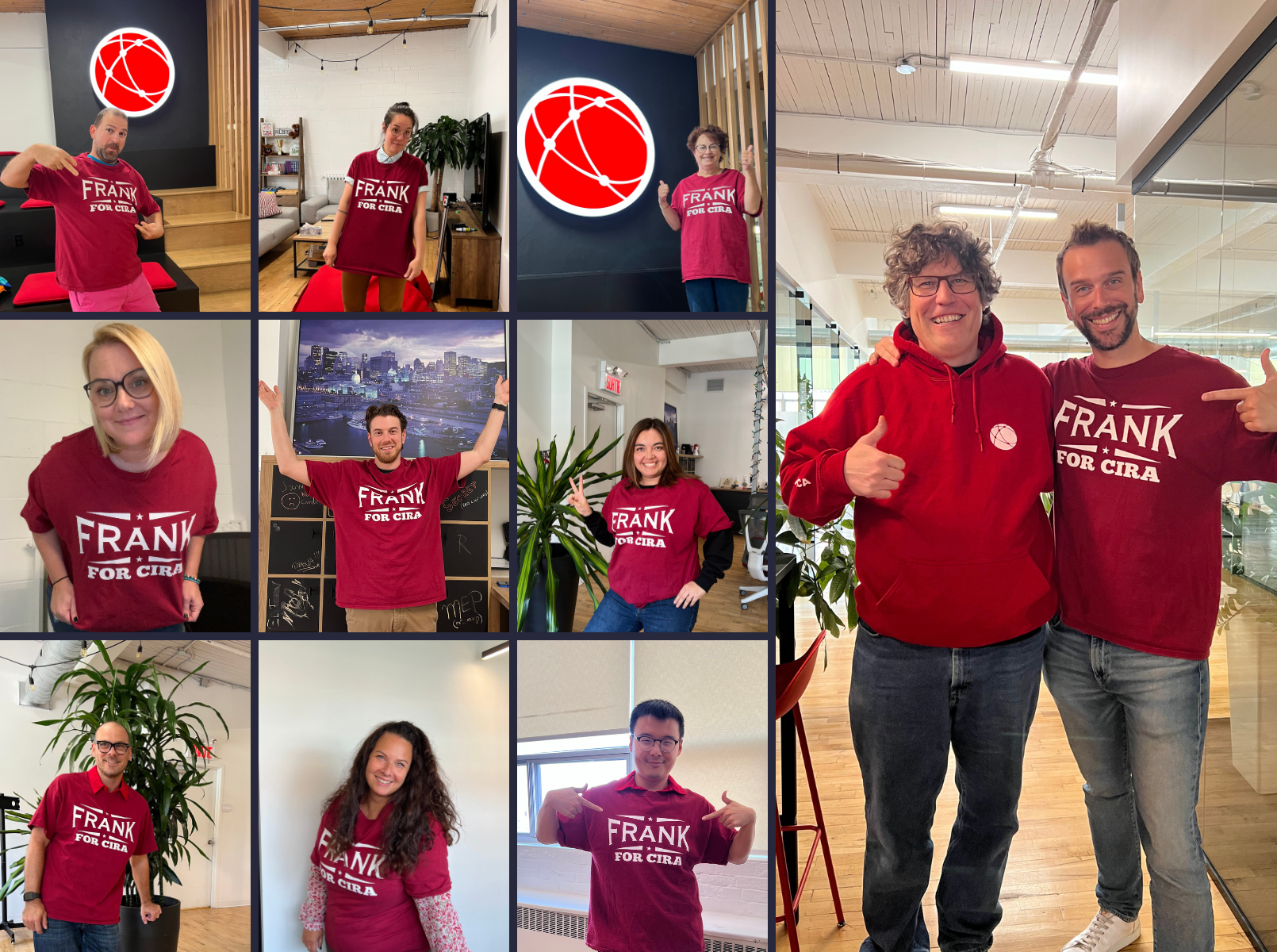
Having the privilege of collaborating with Frank on a daily basis (and engage in countless tech discussions), I can attest to the importance of his expertise and vision for the future of the Canadian internet landscape. A CIRA board seat for Frank would allow us all to benefit from a more inclusive and effective approach to governing the web in Canada.

Vote for Frank

How to vote in the board elections

If you own a .CA domain, congrats—you're eligible to become a CIRA member. It’s that simple. However, this current election cycle won't be open to new members. Still, there's value in joining now for future influence

If you’re a member, the voting process is straightforward, and the timeline for voting in the election is from September 27 to October 4. CIRA members will receive an email on September 27 inviting them to vote. Meanwhile, you can visit the forum. Results will be announced October, 9. So, take a moment to be part of shaping the future of the Canadian internet—vote for Frank!

Outro

I hope this article gave you a little insight into who Frank is and helped put a human face on the team behind WHC.

I'd like to thank Frank personally. He plays a crucial role in the marketing team with his patience for our bottomless questions about domains and other areas of the web. Thank you for being the awesome human you are. Cheers to many more years of collaborating together! (And vote Frank!)